How to Order a CGM in 2026: Stelo, Lingo, and Dexcom Step-by-Step (No Prescription Needed for Most)

Medical disclaimer: I’m a tech reviewer, not a doctor. CGMs are health devices. Talk to your physician before starting one, especially if you take insulin, have a history of low blood sugar, are pregnant, or have any chronic condition. Nothing in this article is medical advice.
If you’re trying to figure out how to order a CGM in 2026 – whether it’s Stelo, Lingo, or a prescription Dexcom G7 – this guide walks through each path click-by-click. I’ve already covered where each CGM is actually sold (Amazon, Best Buy, Walmart, manufacturer direct) in our retailer breakdown, so this piece focuses on the ordering process itself.
Quick answer: which CGMs need a prescription in 2026
There are four CGMs commonly ordered in the US right now. Two are over-the-counter, two need a prescription:
| CGM | Maker | Prescription? | Wear time | Starting price |
|---|---|---|---|---|
| Stelo | Dexcom | ❌ No | 15 days | $55 starter / $99 (2-pack) |
| Lingo | Abbott | ❌ No | 14 days | $49 (1 sensor) |
| Dexcom G7 / G7 15 Day | Dexcom | ✅ Yes | 10 or 15 days | Varies (insurance) |
| Freestyle Libre 3+ | Abbott | ✅ Yes | 15 days | Varies (insurance) |
If you don’t take insulin and you don’t have problematic hypoglycemia, you can order Stelo or Lingo right now without ever talking to a healthcare provider. That’s how it’s been since the FDA cleared the first OTC CGM (Stelo) in March 2024 and Abbott’s Lingo a few months later in June 2024.
If you want alarms for high or low glucose – usually because you’re insulin-dependent or at risk of going low – you’ll need a prescription model. The good news: you can get a prescription for a Dexcom G7 15 Day CGM through telehealth. No clinic visit required.
Honestly? It started with a viewer comment on one of my moto vlogs. Someone asked why I always ride after coffee but never after lunch -said it was a glucose thing. I rolled my eyes, then ordered three CGMs that night to prove him wrong. He was right. Now I time my long rides around glucose dips, which is a sentence I never expected to write.
How to order Stelo (Dexcom OTC) – step by step
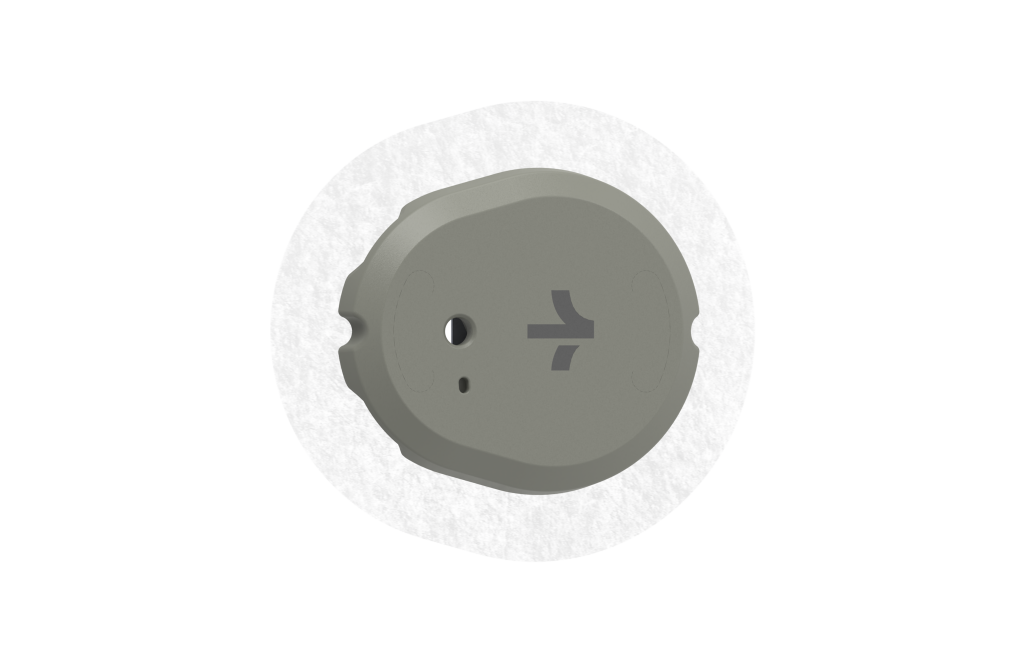
Photo courtesy of Dexcom
Stelo is the one I’d recommend ordering first if you’re new to CGMs. The process is the cleanest of the three. Each sensor lasts up to 15 days with a 12-hour grace period after that, which is the longest wear time on the OTC market.
Step 1 – Confirm you’re eligible. Stelo is for adults 18 and up who don’t take insulin and don’t have problematic hypoglycemia. If you’re pregnant, that’s actually fine – Stelo is suitable for use during pregnancy, but please loop your OB-GYN in before you start tracking. If you’re on dialysis, don’t use it.
Step 2 – Decide on a tier. Stelo has three entry points now, which is more than when it first launched:
- 2-week starter pack: $55 – single sensor, 14 days of data. The cheapest way to test the waters. Added to the lineup recently and honestly the right pick if you’ve never worn a CGM.
- 30-day pay-as-you-go: $99 – 2-pack of sensors. The classic option, no subscription commitment.
- 3-month subscription: 15% off ongoing orders – works out to about $76 per month if you commit to multi-month delivery. Plus 10% off all sensor refills going forward. Free shipping included.
You can cancel a subscription within 60 minutes of placing the order through your account dashboard. After that 60-minute window, the order is locked in and the unit is yours. So pick your tier carefully – the cheap re-think doesn’t exist post-checkout.
Step 3 – Order through Stelo.com or Amazon. Both options work. The Dexcom site (stelo.com) is the canonical one. Amazon is a few dollars more on the markup but ships fast on Prime. There are no screening questions beyond confirming your age and US shipping address.
Step 4 – Set up the app. Download the Stelo app (iOS or Android). You’ll create an account using the email you ordered with. The setup is dead simple – download the app, apply the sensor, wait 30 minutes. The sensor goes on the back of your upper arm.
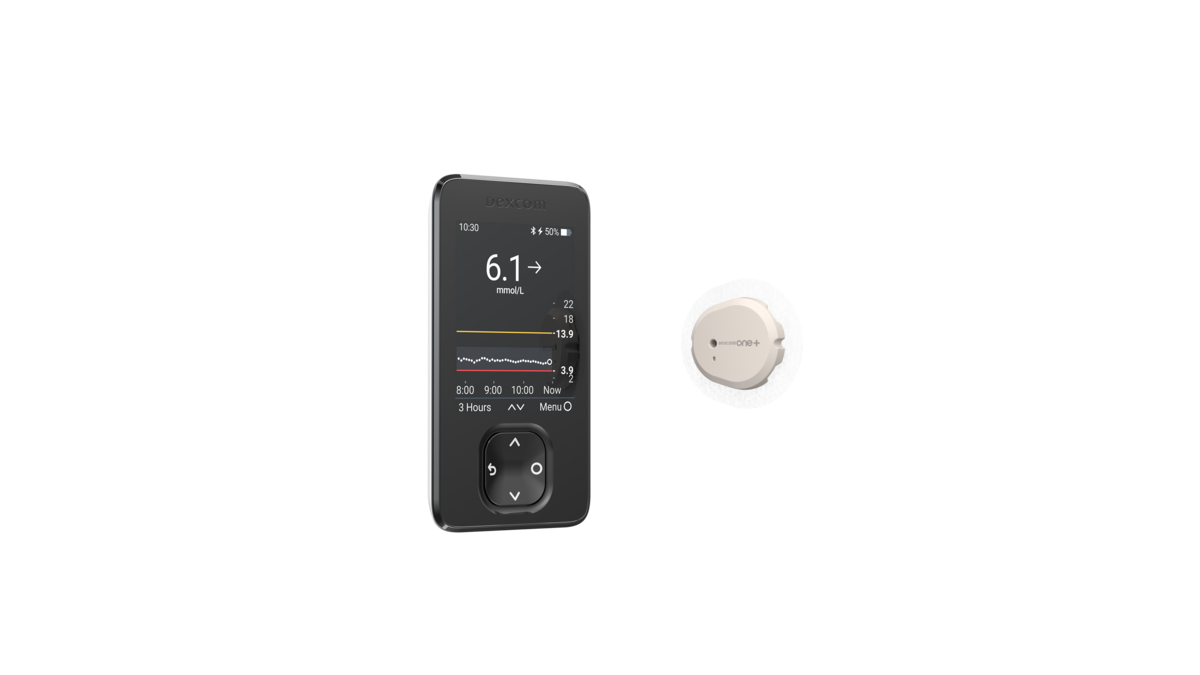
The official Stelo product page
One useful detail: Stelo measures glucose every 5 minutes and sends data to the app every 15 minutes. If you’re comparing it to Lingo’s continuous-feed approach, Stelo’s batched updates feel slightly slower in the app but are easier on phone battery in my experience.
How to order Lingo (Abbott OTC) – step by step
Lingo’s ordering flow has more options than Stelo’s, which is either good (flexibility) or annoying (decision fatigue) depending on your mood. Here’s the path.
Step 1 – Pick your starting tier. Lingo offers three entry points based on commitment level:
- Trial: $49 for one sensor (about 14 days of data)
- One-month: $89 for two sensors (4 weeks of wear)
- 3-month subscription: $249 for six sensors
That breakdown is documented across multiple retail sources. Lingo is priced at $49 for one 14-day sensor, $89 for two sensors, or $249 for six sensors. The starter is the right call if you’ve never worn a CGM and just want to see what the experience is like.
Step 2 – Order through hellolingo.com, Amazon, Walmart, or Best Buy. Lingo has wider retail than Stelo at this point, so check whichever you have a credit card already saved with. The manufacturer site is hellolingo.com.
Step 3 – Critical Lingo gotcha. This is the one thing I want you to know before you order: the email you use to place your order is the same email you’ll need to set up the app. I’m not making that up. Lingo requires that you use the email address you ordered the Lingo with to make your account for the app – there is no other way to create an account.
Why does that matter? If you want to buy two Lingo packs to share with a partner or family member, both people need to order through their own email addresses. Don’t try to “buy two and share.” Reviewers at diaTribe ran into this exact issue and ended up buying a second one because of it. Order accordingly.
Step 4 – Set up the app. Download Lingo by Abbott (iOS or Android), log in with the email you ordered with, and you’re ready to apply the sensor. The Lingo sensor also goes on the back of your upper arm.
The Lingo product and pricing page on Abbott’s site
One thing I genuinely liked about Lingo over Stelo: the in-app coaching nudges, which translate glucose spikes into a single daily metric called Lingo Count. It’s a softer onramp if you’ve never thought about glucose before.
How to order a prescription CGM (G7, Libre 3+) via telehealth
If you want alarms – meaning a sensor that actively notifies you when glucose goes too high or too low – you need a prescription model. The two main options are the Dexcom G7 (or G7 15 Day) and the Freestyle Libre 3+. Both can be obtained without an in-person doctor’s visit in 2026.
The telehealth path:
- Go to GetDexcomRx.com (run by UpScript). You register, complete a short medical questionnaire, and connect with a provider. The provider review fee is $25.
- The provider does a video call to confirm a CGM is appropriate for you.
- If approved, the prescription gets sent to your pharmacy of choice or delivered to your home.
For Libre 3+, the manufacturer also has telehealth-affiliated programs, and most major telehealth platforms (including Sesame, Plushcare, and similar services) can prescribe a Libre 3+ for a one-off video consult.
A few practical notes from my own ordering pass:
- The telehealth provider will ask about insulin use, diabetes diagnosis, and any history of hypoglycemia. Answer honestly. If you don’t have a diagnosis but want a CGM, expect the prescription to come through as off-label for general metabolic health – and expect that your insurance will probably not cover it. Cash price applies.
- The Freestyle Libre 3+ is the least expensive prescription option for cash-paying users at approximately $75 per month with the manufacturer’s coupon. Worth knowing before you commit to G7 cash pricing.
- If you have insurance and a real diabetes diagnosis, work with your regular doctor instead. Insurance coverage will save you a lot more than the $25 telehealth fee.
GetDexcomRx, the official Dexcom telehealth prescription portal.
HSA/FSA: yes, you can use it
Quick wallet win: every CGM I’ve covered in this article is HSA/FSA eligible. Both Dexcom Stelo and Abbott Lingo are FSA eligible and do not require a prescription. The Dexcom G7 and Freestyle Libre 3+ are also FSA eligible (with prescription).
Two things to know:
- For Stelo: Use your FSA/HSA card directly at checkout. If it gets declined, the issue is almost always your plan administrator, not Dexcom – if your FSA or HSA card is declined at checkout, contact your employer or plan administrator for the account. You can also pay with a regular card and submit the invoice for reimbursement later. Stelo lets you download invoices from your account dashboard.
- For Lingo: Same drill – FSA/HSA card at checkout, or pay normally and submit for reimbursement. The invoice path is the safer bet if your benefits administrator is strict.
Both subscription plans count too. So if you’re locking into a 3-month plan, that whole charge can come out of pre-tax dollars. Quietly one of the better deals in consumer health tech.
If you’re already tracking other health metrics, the smartwatch breakdown I did for blood pressure monitoring covers the wearable side of the same equation. Stack them and you’ve got most of the data a doctor would normally pull from quarterly visits.
Shipping timelines and what to expect after checkout
After you click order:
- Stelo: Standard shipping is a few business days from US fulfillment. You’ll get a tracking number via email. If you need to cancel your Stelo order, you can do so within 60 minutes of placing the order by logging in to your account and navigating to the orders tab. After 60 minutes, it’s locked in.
- Lingo: Similar timeline, but heads up – Lingo ships UPS, and per user reports, the FAQ does not mention shipping address restrictions or the carrier, only after placing an order does an order confirmation screen appear stating that UPS is the carrier (which will not work for a PO Box). If you only have a PO Box, use a residential or workplace address instead.
- Telehealth prescription CGM: Add 1–3 days for the provider review on top of pharmacy/shipping turnaround. Realistically you’re looking at a week from registration to first sensor in hand.
Once a sensor arrives, the application takes about two minutes. Both Stelo and Lingo use a single-use applicator that snaps the sensor onto the back of your upper arm. There’s a 30-minute warmup before the first reading shows up in the app.
Returns: read this before you click “buy”
Here’s the part most ordering guides bury at the bottom. Stelo has no returns. Period. All sales are final. There are no returns or exchanges. To the extent allowed by law, the Stelo Glucose Biosensor is provided to you without any warranty by Dexcom.
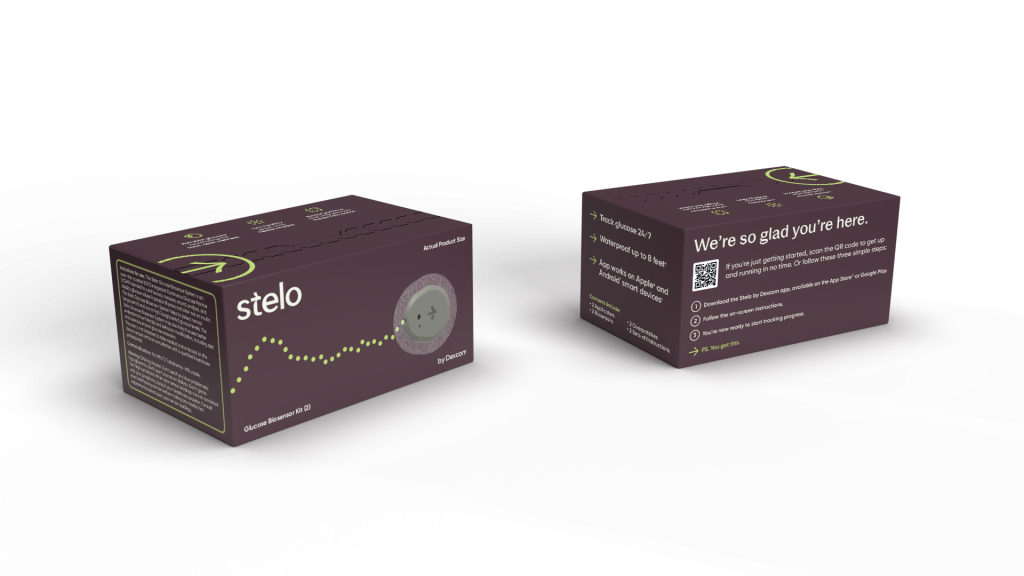
Photo courtesy of Dexcom.
What that means in practice: if you order Stelo, change your mind, and the box hasn’t even left your kitchen counter, Dexcom won’t take it back. There’s a sensor-replacement program for defective sensors (you report the issue through the SteloBot chat in your account), but that’s strictly for product failures, not buyer’s remorse.
Lingo’s policy is comparable. Both companies treat their products like medical-grade consumables once they’ve shipped – opened or unopened. The Amazon route is slightly more flexible because Amazon has its own return policy that overrides the manufacturer’s, so if you’re hedging, Amazon is the safer first-time order venue.
For prescription CGMs ordered through pharmacies or DME suppliers, returns are essentially never accepted because the products are regulated as durable medical equipment.
Honestly? Just be sure before you order. The starter sizes (Stelo 2-pack, Lingo 1-sensor trial) exist precisely so you can sample without committing to a subscription you can’t unwind.
FAQ
Can you order a CGM without a prescription? Yes – for Stelo and Lingo, both of which are FDA-cleared OTC for adults 18+ who don’t take insulin. For prescription CGMs like Dexcom G7 or Freestyle Libre 3+, you can get the prescription via telehealth without an in-person visit.
How much does it cost to order a CGM in 2026? Stelo starts at $55 for a 2-week starter sensor or $99 for a 30-day 2-pack. Subscriptions save 15% on the multi-month plan plus 10% off all refills. Lingo runs $49 for a 14-day trial, $89 for a 4-week pack, or $249 for a 12-week subscription. Prescription CGMs vary widely based on insurance – Libre 3+ is typically the cheapest cash option at about $75/month.
Are OTC CGMs covered by HSA/FSA? Yes. Both Stelo and Lingo are HSA and FSA eligible without a prescription. Use your HSA/FSA card at checkout or submit the invoice for reimbursement after.
Can I get a Dexcom G7 prescription online without seeing a doctor in person? Yes. Dexcom’s official telehealth partner (GetDexcomRx) lets you complete a short medical questionnaire and have a video consult with a licensed provider for $25. If approved, the prescription is sent to your pharmacy or shipped to your home.
Can I switch from Stelo to Lingo mid-subscription? Not directly. Subscriptions are separate accounts on separate platforms – Stelo through stelo.com, Lingo through hellolingo.com. To switch, you’d cancel one subscription and start the other from scratch. The good news: cancellation is free on both, you just won’t get refunds for sensors already shipped. If you’re not sure which one you’ll prefer, start with a single starter pack from each ($55 Stelo, $49 Lingo) and decide before committing to a subscription.