Best Laptops for Working from Home in 2026: No Fluff, Just What Works

Most “best laptop for working from home” lists give you 15 options and leave you more confused than when you started. You don’t need 15 options. You need to know which laptop handles video calls without freezing, lasts through a full workday without charging, and has a screen you can stare at for 8 hours without your eyes staging a protest.
I’ve narrowed it to three. One for Apple users, one for Windows users, and one for people who don’t want to spend over $500. Each one is chosen specifically for what matters when you work from home: battery life, display quality, and webcam performance. Not gaming benchmarks. Not benchmark scores. The stuff that actually affects your Monday.
What Actually Matters for a WFH Laptop
Before the picks, let me save you from overthinking specs that don’t matter for home office work.
Battery life matters more than you think, even at home. You’d assume it doesn’t matter because you’re near an outlet. But a laptop that needs to stay plugged in runs hotter, the fan kicks on more often, and you can hear it during quiet video calls. A laptop with genuine all-day battery lets you work unplugged from the couch, the kitchen table, or outside without thinking about it. Aim for at least 10 hours of real-world use.
Webcam quality matters more than it used to. Remote work lives and dies on video calls. Most laptops still ship with 720p webcams that make you look like you’re calling from 2014. In 2026, there’s no reason to accept anything less than 1080p, and the best options now include features like auto-framing that keep you centered even when you shift in your chair.
Display quality matters for 8-hour days. Color accuracy isn’t just for designers. A good display reduces eye strain during long sessions. Look for at least 300 nits of brightness (so you can work near a window without glare washing everything out) and a resolution above 1080p if your budget allows.
What doesn’t matter for WFH: A dedicated GPU (unless you do video editing or 3D work), gaming-tier processors, RGB keyboards, or touchscreens. Save the money.
1. Apple MacBook Air M5 13-inch — Best Overall
Price: From $1,099 | Battery: Up to 18 hours | Weight: 1.23 kg (2.7 lbs) | Display: 13.6″ Liquid Retina, 500 nits | Webcam: 12MP Center Stage | Storage: 512 GB base
The MacBook Air M5, released in March 2026, is the best work-from-home laptop you can buy right now. Not because it’s Apple, but because no other laptop at this price combines this level of battery life, build quality, display brightness, and webcam performance in a package this thin and quiet.
The M5 chip is fanless, which means zero noise during video calls. That sounds like a small thing until you’ve been on a Zoom call with someone whose laptop fan sounds like a jet engine. The 12MP Center Stage camera is also a genuine advantage for remote work. It automatically keeps you framed and centered, which means you can lean back, shift in your chair, or reach for your coffee without disappearing off-screen. Most Windows laptops are still shipping with 1080p cameras at best. This one has a 12-megapixel sensor that noticeably outperforms them.
The 13.6-inch Liquid Retina display hits 500 nits, which is bright enough to work comfortably next to a window. Battery life is rated at 18 hours, and in real-world mixed use (browsing, documents, video calls, some streaming), Tom’s Hardware measured 13 to 14 hours. That’s comfortably all-day without plugging in.
The base model now ships with 512 GB of storage and 16 GB of RAM, both of which were pain points on older MacBook Air models. Wi-Fi 7 via the new N1 chip is a nice bonus for homes with compatible routers — and cross-platform file sharing between Mac and Android is getting easier thanks to Quick Share’s AirDrop integration. The only real downside is the port situation: two Thunderbolt 4 ports, MagSafe, and a headphone jack. If you need HDMI or SD slots without a dongle, the MacBook Pro is the play, but it’s also $500 more.
Choose this if: You want the quietest, longest-lasting, most reliable work-from-home experience available. The M4 model from 2025 is also excellent and now available for under $800 if the M5 price is a stretch.
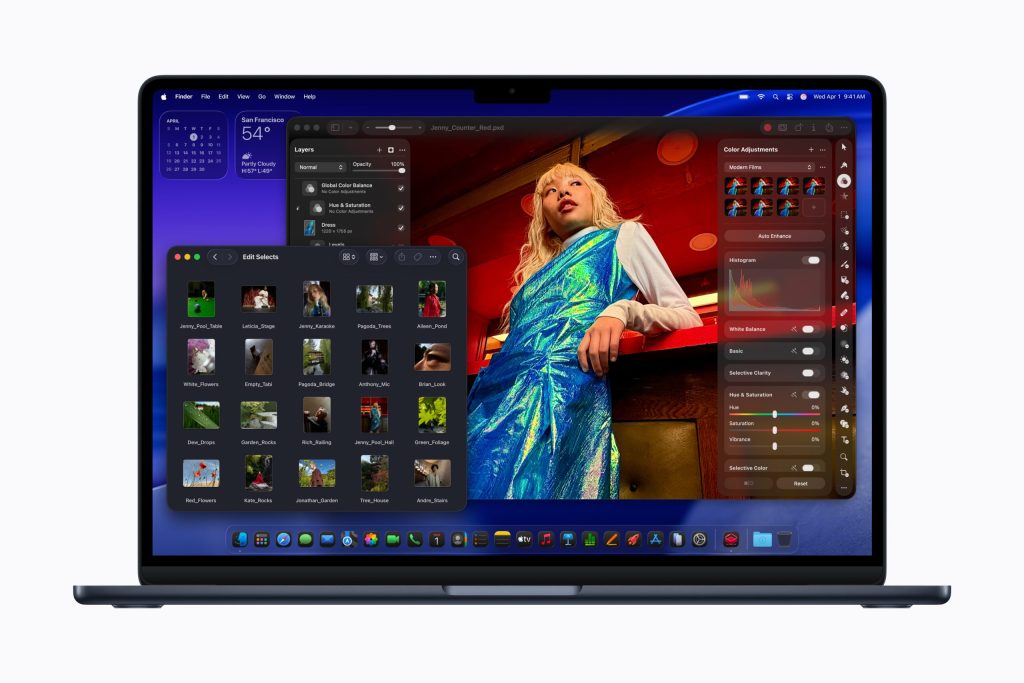
Image: Apple Press Kit
2. Lenovo Yoga 9i 2-in-1 Aura Edition — Best Windows Pick
Price: From ~$1,600 | Battery: Up to 23.5 hours (PCWorld tested) | Weight: 2.91 lbs | Display: 14″ 2880×1800 OLED, 120Hz | Webcam: 5MP 1440p | Storage: 1 TB SSD
If you need Windows, the Yoga 9i Aura Edition is the laptop I’d pick for working from home. PCWorld named it one of the best Windows laptops available, and the reason is simple: it has an OLED display, absurd battery life, and a build quality that feels like it costs more than it does.
The 14-inch OLED panel is the standout. Colors are accurate, blacks are true black, and the 120Hz refresh rate makes everything from scrolling documents to navigating spreadsheets feel buttery smooth. At 2880×1800 resolution, text is razor-sharp, which matters when you’re reading emails and docs for hours on end. After years of staring at IPS panels, working on an OLED for a full day is genuinely easier on the eyes.
Battery life is the other headline. PCWorld tested it at up to 23.5 hours, which is extraordinary for a Windows laptop. Even with heavy real-world use, you’d comfortably get 14 to 16 hours. The Intel Core Ultra 7 258V processor handles multitasking well without running hot, and the 32 GB of RAM means you won’t hit a wall with dozens of browser tabs and a video call running simultaneously.
The 2-in-1 form factor is a bonus for home office use. Flip it to tent mode for video calls, fold it flat for reading, or use it traditionally as a laptop. The included Yoga Pen attaches magnetically and is useful for annotating documents or signing PDFs without printing.
Choose this if: You want the best Windows laptop for extended screen time, value a gorgeous OLED display, and want battery life that rivals a MacBook.
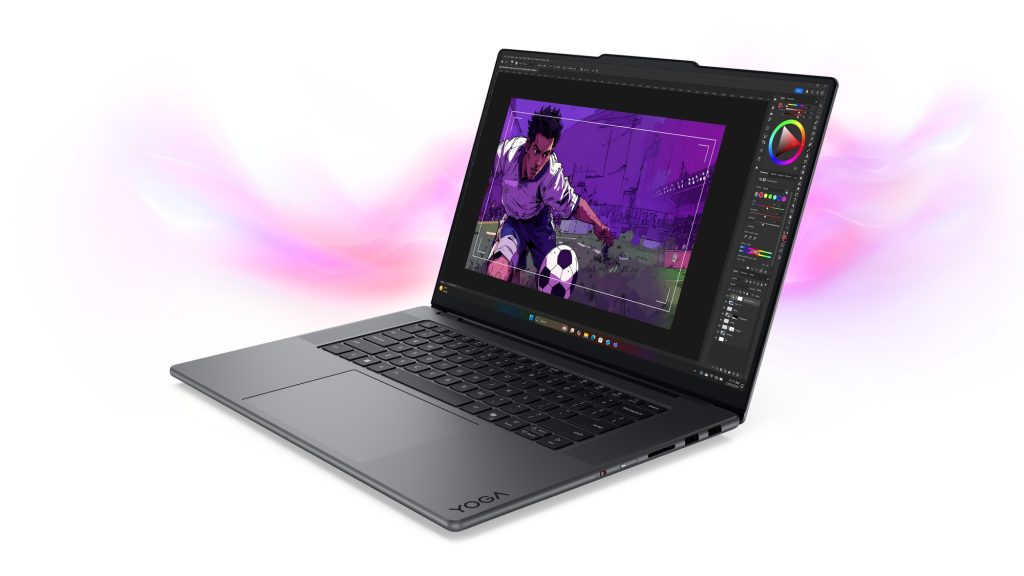
Image: Lenovo Press Kit
3. Lenovo IdeaPad Slim 5i 16-inch — Best Budget Pick
Price: ~$430-500 (frequently on sale) | Battery: ~8-10 hours | Weight: 4.08 lbs | Display: 16″ 1920×1200 IPS, 300 nits | Webcam: 720p with privacy shutter | Storage: 1 TB SSD
Here’s the honest truth about budget laptops for working from home: you don’t need a $1,000 machine to handle email, Google Docs, spreadsheets, and Zoom calls. You need something that doesn’t choke when you have 15 tabs open, has a screen big enough to work comfortably, and won’t fall apart after a year. The IdeaPad Slim 5i delivers on all three.
PCWorld gave it 4.5 stars specifically for its value under $500. The aluminum chassis feels premium, which is rare at this price point. The 16-inch display gives you more workspace than a 13 or 14-inch screen, and at 1920×1200 (16:10 aspect ratio), you get slightly more vertical space for documents and web content compared to standard 1080p panels.
Performance comes from an Intel Core 5 210H processor paired with 16 GB of RAM and a 1 TB SSD, which is more than enough for productivity tasks. Apps load quickly, multitasking is smooth, and the SSD means boot times are measured in seconds. AI-powered productivity tools like Google Gemini 3 run without any issue on this hardware.
The trade-offs are real, though. The webcam is only 720p, which is noticeably worse for video calls than the options above. If calls are a big part of your day, this is the one weak point. Battery life is also shorter: expect 7 to 9 hours of real use, which still covers most of a workday but doesn’t leave much margin. And at 4 pounds, it’s not the laptop you’d want to carry around regularly, but for a desk-based home office, weight is irrelevant.
Choose this if: You want a reliable work-from-home laptop without spending over $500, and you’re okay with a basic webcam.
Quick Comparison
| MacBook Air M5 | Yoga 9i Aura Edition | IdeaPad Slim 5i | |
|---|---|---|---|
| Price | $1,099 | ~$1,600 | ~$430-500 |
| Battery | 18 hrs rated | 23.5 hrs tested | 8-10 hrs |
| Display | 13.6″ Retina, 500 nits | 14″ OLED, 120Hz | 16″ IPS, 300 nits |
| Webcam | 12MP Center Stage | 5MP 1440p | 720p |
| Weight | 2.7 lbs | 2.91 lbs | 4.08 lbs |
| Best for | Overall WFH | Windows + display quality | Budget WFH |
Frequently Asked Questions
Do I need a powerful laptop to work from home?
For most remote work (email, documents, video calls, web browsing), you don’t need anything beyond a modern processor, 16 GB of RAM, and an SSD. The bottleneck for home office work is almost never processing power. It’s battery life, screen quality, and webcam clarity.
Is a MacBook or Windows laptop better for working from home?
It depends on your ecosystem and employer requirements. The MacBook Air M5 is the best individual WFH laptop overall, but some companies require Windows for specific software or IT management tools. If your employer doesn’t mandate a platform, pick whichever operating system you’re already comfortable with.
How much should I spend on a work-from-home laptop?
For reliable daily use, $400-500 gets you a solid machine that handles all standard tasks. $1,000-1,100 gets you premium build quality, excellent battery life, and a significantly better webcam and display. Spending more than $1,500 only makes sense if your work involves video editing, 3D rendering, or other resource-intensive tasks.
Does webcam quality really matter for remote work?
Yes. Your colleagues see you through your webcam more than through any other medium. A 720p webcam makes you look grainy and dim, especially in rooms with imperfect lighting. A 1080p or higher webcam produces a noticeably clearer, more professional image. If your laptop’s webcam is weak, an external 1080p webcam ($30-50) is the cheapest upgrade with the biggest visible impact.
Should I buy the MacBook Air M5 or wait for a sale on the M4?
Both are excellent. The M5 adds Wi-Fi 7, doubles the base storage to 512 GB, and has a slightly faster chip, but the M4 handles every WFH task identically. If the M4 is available for $750-800, it’s arguably the better value. If you’re buying new and want the latest, the M5 at $1,099 is worth the premium.