Minimalist Carry-On Tech Kit for Digital Nomads (Travel Light Edition, 2026)


When I’m on the bike for a multi-day moto trip through the Balkans, or flying carry-on only into somewhere I’ll be for a week, my home setup doesn’t come with me. There’s no room for a desktop tower on a bike, and there’s no point lugging a full kit through three airports for five days of work.
So the question becomes simpler than it looks. What’s the smallest, lightest tech kit that still lets me edit footage, take calls, write, and ship work without compromise?
This is that kit, weighed and tested. The pillar setup stays home. This one travels.
TL;DR
Here’s the carry-on tech kit I pack when every gram matters. Laptop, ultralight portable monitor, pocket router, one GaN charger, power bank that won’t get confiscated at the gate. Under 3 kg of tech total, fits in a 25L backpack, and still does real work.
If you want the full split between home and travel, our remote work tech setup guide covers the bigger picture. This article is the carry-on subset of that pillar
Why minimalist (and when this isn’t for you)
Last September on a 10-day Croatia and Bosnia loop, I had room for the laptop OR the camera tripod in the right side case of the bike, not both. I picked the laptop because the trip had a client deliverable in the middle of it. The phone became the camera for 10 days. I missed the tripod exactly once, in a windy spot near Sutjeska National Park. Worth the trade.
That’s the kind of decision this kit is built for. The desktop at home does the heavy work. This kit just has to keep things moving until I’m back.
This isn’t for everyone:
- If you mostly work from one location for a month at a time, you can pack heavier. A few hundred extra grams won’t hurt over four weeks of cafe work.
- If you do heavy video editing or 3D rendering on the road, a 13-inch laptop and a 1080p portable monitor will frustrate you. Use a cloud workstation or stay home for that work.
- If your trip is pure vacation, this is overkill. Bring the phone, leave the laptop, call it done.
For everyone else (short trips, moto travel, week-long client visits, anyone splitting time between a fixed base and the road), this is the kit.
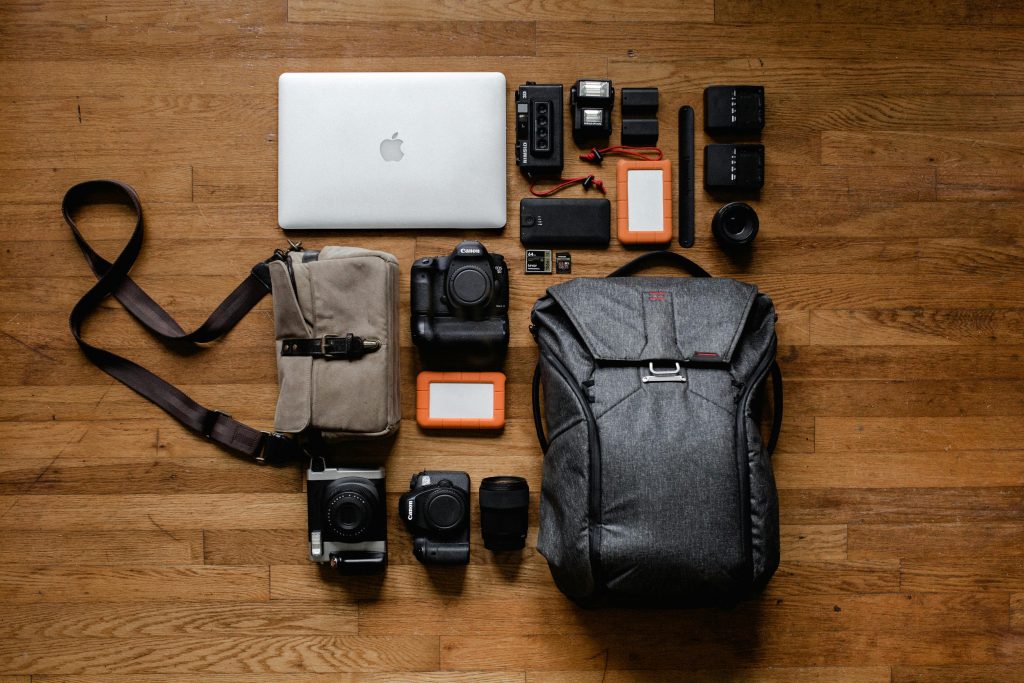
The ultralight laptop pick
The lightest work-capable laptops in 2026 cluster around the 1 to 1.25 kg range. Below that, you’re either making real compromises or paying business-laptop premiums.
My pick: MacBook Air 13-inch M5 (1.23 kg / 2.7 lbs). Released March 2026, $1,099 base. The M5 chip handles everything I do on the road — Final Cut, Lightroom, web work, calls — and the 15 to 18 hour battery means I rarely hunt for outlets in cafes. The base SSD finally jumped to 512 GB, which is the first time I haven’t felt short-changed on storage at the entry price. Wi-Fi 7 via the new N1 chip is genuinely useful in congested coworking spaces.
If you already own the M4 model from last year, the upgrade is incremental. The M4 Air is still excellent and now available at significant discounts.
Windows alternative: ASUS Zenbook S14 (1.2 kg / 2.65 lbs). Same weight class, 0.47-inch thick, Ceraluminum body that survives bag abuse better than most thin laptops. The 14-inch 3K OLED is the headline. Battery claims are 27 hours on a 1080p video loop, which translates to a real-world 10 to 12 hours of mixed work. Still good. [VERIFY] current US price — pricing has fluctuated with the Intel Core Ultra Series 3 launch.
For the under-1kg ThinkPad option: the ThinkPad X1 Carbon Gen 14 starts just under 1 kg, but it’s $1,999+. Hard to justify unless you specifically need ThinkPad durability and the keyboard. Most travelers don’t.
The honest truth: any modern thin-and-light laptop with 16 GB of RAM, USB-C charging, and weight at 1.25 kg or less will work. Pick on OS preference and price. Battery life and weight are the two specs that actually matter on the road.
The portable monitor that earns its bag space
If you only carry one accessory beyond the laptop, make it a portable monitor. Going from one screen to two on the road is the single biggest productivity jump in this whole kit.
Pick: ASUS ZenScreen MB16AC (0.78 kg / 1.7 lb, 8mm thick). Still the lightest 15.6-inch portable monitor out there. Single USB-C cable for both video and power, hybrid signal support (USB-A also works with a driver), foldable smart case doubles as the stand. It’s thinner than most phones in a case and slides into the laptop sleeve compartment of any backpack.
Specs are modest. 1920 x 1080, 220 nits brightness, IPS, 60Hz. Enough for code, documents, spreadsheets, and timeline work. Not enough for outdoor work in bright sunlight (220 nits washes out fast), and not enough for color-critical photo or video grading. For that I do the work back at the desktop.
There’s a newer ZenScreen MB16ACE at 0.71 kg, marginally lighter. Worth checking if you’re hunting absolute minimum weight. [VERIFY] current pricing on both models — the older MB16AC is often discounted while the MB16ACE sits closer to MSRP.
What I avoid: monitors over 1 kg, anything that needs a separate power brick, and 16:9 displays without a kickstand or smart case. If the monitor needs a third hand to set up, it stays in the bag.
Pocket-sized travel router
Hotel and Airbnb Wi-Fi is unreliable. A travel router solves three problems at once. One device connects to the room’s network, all your gear connects to the router, and you get VPN protection baked in.
Pick: GL.iNet Beryl AX (GL-MT3000), 175 grams, $89. Wi-Fi 6 dual-band, 2.5 Gbps WAN port, WireGuard and OpenVPN built into the firmware. The size of a thick phone. Loses maybe 5 to 10% of raw connection speed through WireGuard, which is fine for video calls on any decent connection.
I’ve used the Beryl AX for about a year across hotels, short rentals, and one truly painful coworking space in Mostar where the public Wi-Fi was actively hostile. It does what it’s supposed to. Once-per-stay setup, then it just runs.
Heavier-but-faster option: GL.iNet Slate AX (215 g, $119) has two LAN ports and a microSD slot. Worth it only if you regularly hardwire devices or want network storage for backups. For pure travel work, the Beryl AX is enough.
Wi-Fi 7 versions (Slate 7, Beryl 7) exist but aren’t worth paying for in 2026. Most hotels you’ll connect to are still on Wi-Fi 5 or 6, and the router can only pass through what the source delivers.
What I skip: the included wall adapter. The Beryl AX runs fine off USB-C from a laptop charger or power bank, which means one less brick in the bag. Not officially supported by GL.iNet, but it works.
One-charger GaN solution
One charger has to do everything. Laptop, phone, portable monitor (if not powered from the laptop), router, earbuds. GaN tech makes that possible in a brick the size of an AirPods Pro case.
Pick: Anker Nano II 65W (Anker 715 or 735 series), about 110-115 grams. Single 65W USB-C port on the 715, or 65W split across three ports (two USB-C, one USB-A) on the 735. The 735 is what I carry because it lets me charge laptop, phone, and earbuds at once from one wall socket. Which is exactly the situation you hit in airport gate areas with one free outlet and three things that need topping up.
The 65W is enough to charge a MacBook Air at full speed. If you carry a 16-inch laptop or something with a high-draw GPU, you’d want 100W instead, which adds maybe 60 grams.
UGREEN Nexode Pro 65W is the obvious alternative. Similar size, similar weight, sometimes cheaper depending on where you shop. Build quality on both brands has held up fine for me. Pick whichever’s on sale.
What you don’t need: a separate phone charger. A separate iPad charger. The whole point of GaN is one brick replacing four.
Power bank under the 100Wh FAA limit
Power bank rules tightened in 2026. The IATA Dangerous Goods Regulations 67th Edition (effective January 1, 2026) banned charging power banks from in-seat aircraft USB ports, and over 20 airlines including Lufthansa Group, Japan Airlines, ANA, Emirates, and Qantas now prohibit using power banks in flight at all. The trigger was an Air Busan A321 fire on the ground at Gimhae Airport in January 2025.
What that means for your kit: stay under 100Wh, keep the rating clearly printed on the device, and don’t expect to use it onboard the way you used to.
Practical capacity: 20,000 mAh. That’s roughly 74 Wh — comfortably under the 100 Wh limit, gives you about one full MacBook Air charge plus a couple of phone tops, and stays around 350-400 grams depending on the brand.
I’m not naming a specific power bank brand here because the category is full of nearly identical 20,000 mAh GaN models from Anker, UGREEN, INIU, and Baseus, and the price-to-value sweet spot shifts month to month. What matters:
- Clear Wh rating printed on the device (Chinese airlines especially will confiscate unmarked banks)
- At least 65W USB-C output if you want to actually charge a laptop, not just a phone
- USB-C in for charging the bank itself (more universal than micro-USB or barrel jack)
- Carry-on only, always. Never check it.
The 25,000 mAh and 27,000 mAh banks creep up against the 100Wh ceiling and depend on the exact voltage rating. Some are airline-fine, some are borderline. The 20,000 mAh size is the safe call.
Cables, adapters, and the small stuff
This is where most travel kits gain weight you don’t notice until you do an audit. Three rules:
- One USB-C to USB-C cable for laptop charging (100W rated, ~25g, the most important cable)
- One USB-C to USB-C cable for phone, monitor, everything else (~15g)
- One USB-C to Lightning if you still have a Lightning iPhone, otherwise skip
- One universal travel adapter — the Zendure Passport III covers every plug type but is bulky at 179g. Cheaper EU/UK/US-only versions weigh half that if your travel is regional
- Skip the dongle collection. Two cables and one adapter is the floor
Tech pouch matters too. A 60-80 gram nylon zip pouch organizes the above. The Bellroy Tech Kit or any equivalent works. The Peak Design Tech Pouch is nicer but heavier (around 200g) and overkill for this short list.
Phone for content (and the camera question)
My main travel phone is the Vivo X200 Ultra. Full reasoning lives in the remote work tech setup pillar — short version is I imported it from China because the camera quality matched what I needed for moto vlog work and no Western flagship matched it at the time. For most readers, any 2026 flagship camera phone covers this slot fine.
Realistic alternatives if you’re not chasing camera specs:
- Galaxy S26 Ultra for the best Western flagship camera, though our Galaxy S26 Ultra honest verdict covers what to watch for before buying
- iPhone 17 Pro if you’re already in the Apple ecosystem
- Pixel 9 Pro for the computational photography pipeline if you don’t need top-end zoom
Earbuds: AirPods Pro 2 USB-C (about 60g with case) or Sony WF-1000XM5. Either is fine. The audio quality on calls matters more than music quality on a road trip. That’s where ANC and a decent mic earn their keep, not while you’re listening to playlists.
What I leave out: a separate point-and-shoot, an action cam, a gimbal. Each one is great for content quality and terrible for carry-on weight. If video content is the trip’s purpose, that’s a different kit and a different article.
The 7kg test: total kit weight breakdown
This is the kit, weighed and totaled:
| Item | Weight | Approx Cost (USD) |
|---|---|---|
| MacBook Air M5 13″ | 1,230 g | $1,099 |
| ASUS ZenScreen MB16AC portable monitor | 780 g | $200-270 |
| GL.iNet Beryl AX travel router | 175 g | $89 |
| Anker Nano II 65W 3-port GaN charger | 115 g | $40-50 |
| 20,000 mAh power bank (74 Wh class) | 380 g | $40-60 |
| 2x USB-C cables + 1x travel adapter | 130 g | $30-50 |
| AirPods Pro 2 (with case) | 60 g | $200 |
| Tech pouch (nylon) | 70 g | $30 |
| Total tech kit | 2,940 g | ~$1,700-1,850 |
Just under 3 kg of tech. With a 1.5 kg backpack (Peak Design Travel 45L, Aer Travel Pack 3, or similar), you’re at 4.5 kg before clothes. That leaves 2.5 kg of headroom inside a 7 kg carry-on limit for shirts, toiletries, and the stuff that’s not on this list.
I weighed mine last Tuesday on a kitchen scale before writing this. Came in at 2,820 g without the universal travel adapter (I’m sticking with EU-only since I haven’t been outside the EU in eight months). With the adapter added back, it’s 2,990 g. About 100 grams above the table estimate because my power bank is a 25,000 mAh INIU, slightly heavier than the 20,000 mAh average.
The weight optimization most people miss: the laptop and monitor together are 2 kg, which is two-thirds of the tech total. Everything else combined is one kilo. If you’re trying to cut weight, the only real lever is the laptop and monitor. Skipping a 60-gram pair of earbuds doesn’t move the needle.
What I cut and don’t miss
Things I used to pack that no longer come along:
- A second laptop charger. One GaN brick does everything. Backup is the power bank, which can charge the laptop slowly in a pinch.
- A separate phone charger. Same charger.
- A mouse. I love them. They don’t earn the space in carry-on. The trackpad on the MacBook Air is genuinely good. After two days you stop noticing.
- A mechanical keyboard. Really love them. Same answer. The internal keyboard works.
- A tablet. Unless you specifically use it as a second screen or for sketching, it duplicates the laptop. Bring one or the other.
- A separate webcam. Built-in laptop cameras in 2026 are fine. The 12MP Center Stage on the M5 Air auto-frames during calls.
- HDMI cables, ethernet adapters, SD card readers. Gone six months without any of these on a road kit. If I genuinely need one on day 12 of a trip, I buy it. Costs $5 and saves carrying weight 12 months a year.
The general principle: if I haven’t used something in the last two weeks of travel, it doesn’t come on the next trip.
When carry-on isn’t enough
This kit hits a wall when:
- The work is a major video production cycle (4K editing, multi-cam, color grading)
- You’re on the road for 30+ days and start missing real ergonomics
- Client work needs a calibrated display
- You’re shooting a lot of original content and need real camera gear
For all of those, the answer is the home base — back to the desktop with the proper monitor, the right keyboard, and the gear that doesn’t fit in carry-on. Our full split-setup pillar covers the home side and how to decide which work goes where.
If you’re trying to nomad full-time without a home base, this minimalist kit is too minimal. You want the standard travel setup, which has more redundancy and is the topic of our broader digital nomad gadget roundup.
Frequently Asked Questions
What’s the lightest digital nomad tech setup possible?
A laptop alone with no accessories. About 1 kg for the MacBook Air M5 or sub-1 kg for a ThinkPad X1 Carbon Gen 14. Realistically though, “lightest useful setup” means laptop + portable monitor + charger + power bank, which lands around 2.5-3 kg total. Anything lighter sacrifices productivity in ways most people regret by day three.
How much should a carry-on tech kit weigh?
Under 3 kg of tech is the sweet spot inside a 7 kg carry-on limit. That leaves room for clothes, toiletries, and the bag itself. Over 4 kg of tech alone and you’re forcing yourself into checked baggage territory or skipping clothing essentials.
Can you do real work with just a 13-inch laptop and portable monitor?
Yes. The dual-screen setup with a 13-inch primary and 15.6-inch secondary is more screen area than most office single-monitor setups from five years ago. The limits are color-critical work (the portable monitor isn’t accurate enough) and heavy video editing (the laptop runs warm and battery drops fast). For coding, writing, calls, light photo work, and spreadsheets, completely fine.
Do I need a portable monitor for travel?
Not strictly. If you spend most travel days in meetings or doing single-window tasks, skip it and save 780 grams. If you regularly work across multiple documents, code editor plus reference, or design plus reference image, the productivity bump is the biggest of any accessory in this kit. Try a week without one. If you notice the loss, add it.
What’s the minimum tech setup for a digital nomad?
Phone, laptop, charger, one cable. Everything beyond that earns its weight individually. A power bank earns it on long-haul travel days. A portable monitor earns it for desk work. A travel router earns it once you’ve been burned by hotel Wi-Fi. Start minimum and add only what proves it belongs.
Can I still use a power bank on planes in 2026?
You can carry it (in carry-on only, never checked), but new IATA rules effective January 1, 2026 prohibit charging power banks from in-seat USB ports, and over 20 airlines including Emirates, Lufthansa Group, Qantas, ANA, and Japan Airlines now ban using power banks during flight entirely. Charge the bank at the hotel or airport before boarding. Stay under 100Wh capacity (about 27,000 mAh) and make sure the Wh rating is clearly printed on the device.

1 comment