Galaxy S26 Ultra Problems: Every Confirmed Issue and What’s Actually Fixed


The Galaxy S26 Ultra starts at $1,299. For that kind of money, you expect a phone that works out of the box – cameras, display, charging, all of it. And for most people, it mostly does.
But “mostly” isn’t the same as “completely,” and since launch, a pattern of real issues has emerged across Samsung’s community forums, Reddit, and independent tech reporting.
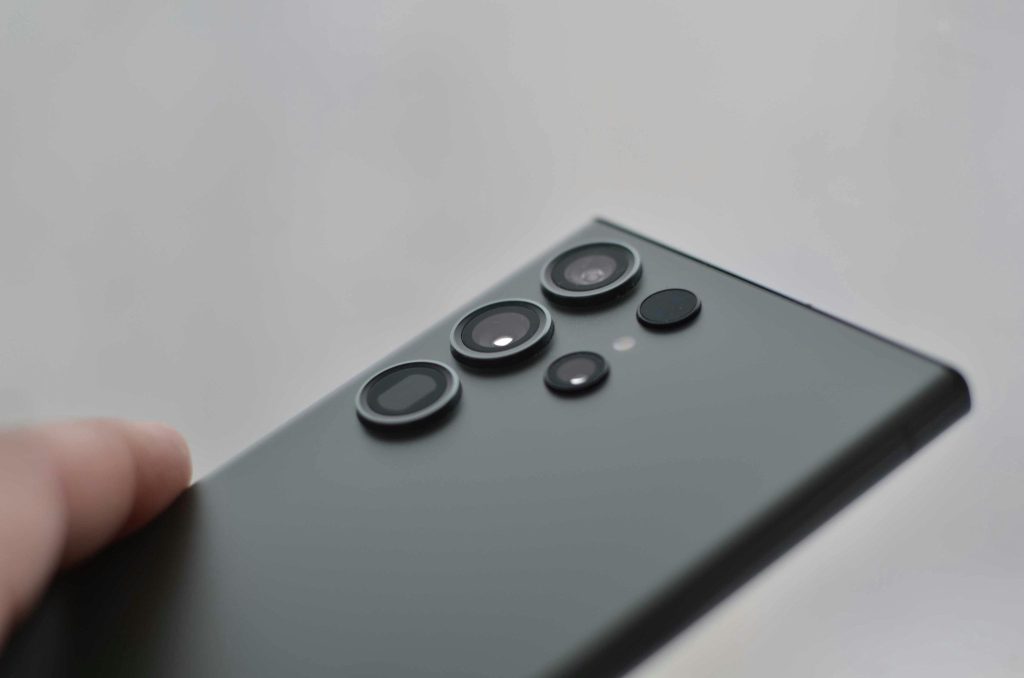
Some are already fixed. Some have workarounds. And at least one – the lens condensation problem – has no clean solution yet.
Here’s every confirmed Galaxy S26 Ultra problem right now, what Samsung has said, and what you can actually do about it.
1. The 3x Zoom Camera Bug – Fixed (Mostly)
This is the one that got the most attention, and rightfully so.
Shortly after the S26 Ultra went on sale in March 2026, users on Samsung’s Korean community forums started reporting that photos taken at 3x zoom were coming out visibly blurry and soft.
Not slightly off – noticeably bad, especially in low light with flash. The 1x and 5x zoom worked fine. Only 3x was broken.
Samsung confirmed it as a software bug: specifically, a “processing error during the lens-switching transition.”
The 10MP 3x telephoto is the smallest sensor in the quad-camera setup, and the processing pipeline was tripping over itself when switching to it.
The April 2026 security patch (build number S948BXXS2AZCL) includes the fix, and it’s rolling out now across India, South Korea, Europe, and the US.
Samsung has published an official support page documenting the 3x zoom issue and confirming that keeping software up to date is the recommended fix.
Go to Settings → Software Update → Download and Install to grab it.
The caveat: As of this week, some users are still reporting blurriness at 3x after updating – the patch may not have reached all carriers and regions yet.
If photos at 3x are still soft after updating, shoot at 2x or 5x as a workaround until the rollout completes.
Status: Fixed in April 2026 patch. Go to Settings → Software Update now.
2. Close Focus Enhancement Frame Shift – Not Fixed Yet
Less discussed than the zoom bug, but genuinely annoying for anyone who shoots close-up subjects.
When Close Focus Enhancement is active, the phone switches lenses silently during short-range shots.
The issue is that the viewfinder doesn’t follow – so you frame the shot, hit the shutter, and the captured image shifts left, cutting off the right edge of the frame. What you compose is not what you get.
Samsung’s moderator confirmed the bug is real after reviewing submitted diagnostic logs.
A software fix is coming, but no timeline has been given. This is still unresolved as of the time of writing.
Workaround: Disable Close Focus Enhancement in camera settings until Samsung patches it.
You’ll lose some assisted macro behavior, but your frames will at least match what you composed.
Status: Acknowledged by Samsung, no fix yet. Disable Close Focus Enhancement for now.
3. Lens Condensation in Cold Weather – Unresolved
This is the most serious issue on the list, and the one Samsung has been quietest about.
Multiple users – first flagged publicly by well-known leaker Ice Universe – reported that the 3x and 5x telephoto lenses fog up completely in cold conditions, around -6°C and below.
The condensation forms inside the lens housing, not on the outer glass, so wiping doesn’t help. The lenses become completely unusable until the phone warms back up.
This happens on a phone with an IP68 rating.
At least one user replaced their unit within the 14-day return window, only to have the exact same problem occur on the replacement – from a different production batch.
The cause is thermal: a warm phone moving rapidly into cold air causes trapped moisture inside the housing to condense on the cooler lens glass.
Android Authority noted the S26 Ultra’s lens housing appears slightly easier to remove than previous generations – possibly intentional for repairability, but potentially a factor in seal performance.
They have also published adetailed explainer on why IP68 doesn’t protect against condensation and what the S26 Ultra’s construction may have to do with it – worth reading if this issue affects your unit.
Samsung has issued no official statement on this issue.
This is actually a conversation worth having more broadly.
How long a $1,299 phone should reasonably last and whether design choices that prioritize repairability might come with tradeoffs in durability is something we’ve explored before.
Workaround: Let the phone adjust gradually between warm and cold environments.
If condensation forms, bring it to room temperature and let it clear naturally – no heat, no rice.
If it recurs consistently, contact Samsung support while still inside your warranty window.
Status: No official fix or acknowledgement from Samsung. Warranty replacement is your best option if it affects you regularly.
4. Privacy Display Eye Strain – Partially Addressed
The Privacy Display is the S26 Ultra’s headline feature – a hardware-level screen that blacks out at off-angles so people nearby can’t see your content.
Clever in concept. Genuinely useful in practice.
Also causing real problems for a notable number of users.
Reports of eye strain, fuzzy text, headaches, and nausea have been widespread – and this happens with Privacy Mode completely switched off.
The issue is rooted in the Flex Magic Panel pixel structure that powers the feature.
It changes how the entire screen renders content at a hardware level, and for sensitive users, prolonged use is uncomfortable.
Well-known reviewers including MKBHD and Mrwhosetheboss flagged display quality as a concern in their coverage.
Samsung acknowledged “some brightness variation” when Privacy Mode is active, describing the impact as “negligible.”
That response was widely criticised as inadequate.
The April 2026 patch does address display flickering and distortion, but the core eye strain issue – tied to the hardware panel design – cannot be fully resolved by a software update.
If you tested this phone in-store and noticed display differences vs the S25 Ultra, mention it here – first-hand observation is stronger than any review quote]
Workaround: Enable Eye Comfort Shield under Settings → Display. Reducing brightness below 50% helps for some users.
If you’re sensitive to display brightness or flicker, test this phone in-store before buying.
Status: Display flickering fixed in April patch. Eye strain from hardware panel structure – cannot be fully patched by software.
5. 25W Wireless Charging That Barely Reaches 25W
Samsung advertised the S26 Ultra with 25W wireless charging. In practice, almost nobody is actually getting it.
To reach 25W wirelessly, you need Samsung’s specific Magnet Wireless Charger ($50), connected to a 45W wired power brick that doesn’t come in the box, plus a case with correctly positioned Qi2.2 magnets.
Miss any one piece, and you’re dropping to 10–15W.
Case manufacturer dbrand tested Samsung’s own official Silicone Magnet ($55), Clear Magnet ($50), Rugged Magnet ($80), and Slim Magnet ($70) cases – none of them consistently hit 25W.
Their explanation: a “proprietary Qi2.2 handshake” is required that most accessories, including Samsung’s own, aren’t triggering reliably.
Wired 60W charging is fast and works without any of this complexity – it charges the phone to 75% in roughly 30 minutes.
That’s your best option until Samsung clarifies the wireless situation.
If you travel a lot and carry this phone as your main device, a good GaN charger that handles both wired fast charging and other devices is worth having anyway – we put together aguide to the best portable tech gear for people who work on the go if you need a starting point.
Workaround: Rely on wired 60W charging.
For wireless, some users report success with Spigen’s Nano Pop MagFit case and an ESR Qi2 25W charger connected to a 65W USB-PD adapter – but results are inconsistent.
Status: No fix. 15W wireless works reliably. 25W requires a very specific, underdocumented hardware combination.
6. Android Auto Disconnections
This one isn’t exclusive to the S26 Ultra – Pixel phones have hit similar symptoms after a recent Android update – but S26 Ultra reports are heavy and persistent.
The symptom is a loop: Android Auto connects, disconnects, reconnects, disconnects.
Multiple users report it across different vehicles. Wired connections are most affected.
One theory is that the Advanced Protection security feature on Samsung and Google devices is interfering with the Android Auto authentication handshake.
If you migrated from a previous Samsung device using Smart Switch, that appears to make it worse.
Workaround: Clear Android Auto’s cache and storage data (Settings → Apps → Android Auto → Storage → Clear Cache, then Clear Data).
Wired connections are more stable than wireless for affected users.
Some users report the issue resolving after clearing data and re-pairing from scratch.
Status: No official fix from Samsung. Likely a broader Android/Google issue. Watch for updates from both.
The Bigger Picture: $1,299 and Launch Bugs
Worth saying plainly: none of this makes the S26 Ultra a bad phone.
The camera system – bugs aside – is genuinely capable.
The Snapdragon 8 Elite Gen 5 is fast. Seven years of software updates is a real commitment that few Android manufacturers match.
But launching a $1,299 flagship with a broken zoom lens, a display feature causing headaches for a meaningful portion of buyers, and wireless charging that doesn’t work as advertised is a pattern that deserves honest attention.
Part of what’s driving flagship prices up in 2026 is the global DRAM shortage caused by AI data center demand.
When you’re paying more, the bar for what ships ready should be higher – not lower.
Should You Still Buy the Galaxy S26 Ultra?
Honestly, yes – but with eyes open.
The 3x zoom bug is fixed. Display flickering is fixed.
The condensation issue won’t affect most people unless you’re regularly shooting in freezing temperatures.
Android Auto affects some users, not all.
And 25W wireless charging is annoying, but wired charging is fast enough that day-to-day it rarely matters.
The real ongoing concerns are the Close Focus Enhancement frame shift (no timeline), the Privacy Display eye strain for sensitive users (hardware – can’t be fully patched), and the lens condensation for people in cold climates (Samsung still hasn’t said anything official).
If you already own one: install the April 2026 patch now, disable Close Focus Enhancement until further notice, and don’t assume your wireless charging is hitting 25W without verifying your setup.
For a full picture of where the S26 Ultra camera stands when everything is working correctly, DxOMark’s full camera test is the most comprehensive independent benchmark available.
FAQ
Has Samsung fixed the Galaxy S26 Ultra camera bug? The 3x zoom blur bug was addressed in the April 2026 security patch (build S948BXXS2AZCL).
Go to Settings → Software Update to install it. Some users are still reporting the issue – the patch may still be rolling out in certain regions and carrier networks.
Why are my Galaxy S26 Ultra photos at 3x zoom still blurry after updating? The April patch may not have reached your specific carrier or region yet.
As a workaround, use 2x or 5x zoom instead – both are unaffected by the bug.
Keep checking Settings → Software Update over the next few days.
Is the Galaxy S26 Ultra Privacy Display safe to use? Most users have no problems.
A subset – particularly those sensitive to display flicker or brightness changes – report eye strain and headaches even with Privacy Mode off.
The Flex Magic Panel hardware design means this can’t be fully resolved by software.
Test the phone in-store before buying if you’re concerned.
Why isn’t my Galaxy S26 Ultra hitting 25W wireless charging? Samsung’s 25W wireless speed requires the Samsung Magnet Wireless Charger, a 45W wired power brick, and a Qi2.2-compatible case.
Even Samsung’s own official cases don’t reliably trigger 25W. At 15W, wireless charging works without issue across most setups.
What should I do if my Galaxy S26 Ultra camera lenses are fogging up? Bring the phone to room temperature slowly and let the condensation clear on its own.
Don’t apply heat. If it happens repeatedly, contact Samsung support for a warranty replacement while you’re still covered.


1 comment