Best Portable Monitor for Laptop 2026: Tested Picks for Remote Workers, Creators, and Digital Nomads

TL;DR – Quick Picks
If you don’t want to read the whole thing:
- Best overall: ASUS ZenScreen MB16AC. Light, slim, USB-C single cable. The one I actually use.
- Best budget: Arzopa Z1FC. 144Hz, metal body, around $130. Punches way above its price.
- Best premium / color-accurate: LG gram +View 16MR70 (16:10 productivity) or espresso 15 Pro (4K creators).
The full ranking below splits picks by what you actually need the monitor to do, not arbitrary “best to worst” gymnastics.
Working on a 13-Inch Screen Is a Productivity Tax
I worked on a 13-inch MacBook Air for six months straight a while back. Coding, video editing, spreadsheets, the whole thing. I told myself I was fine. I wasn’t fine. I was tab-switching constantly, my reference document was always buried behind whatever I was actually working on, and I’d lost track of why a five-minute task kept eating an hour.
The fix wasn’t a new laptop. It was a second screen.
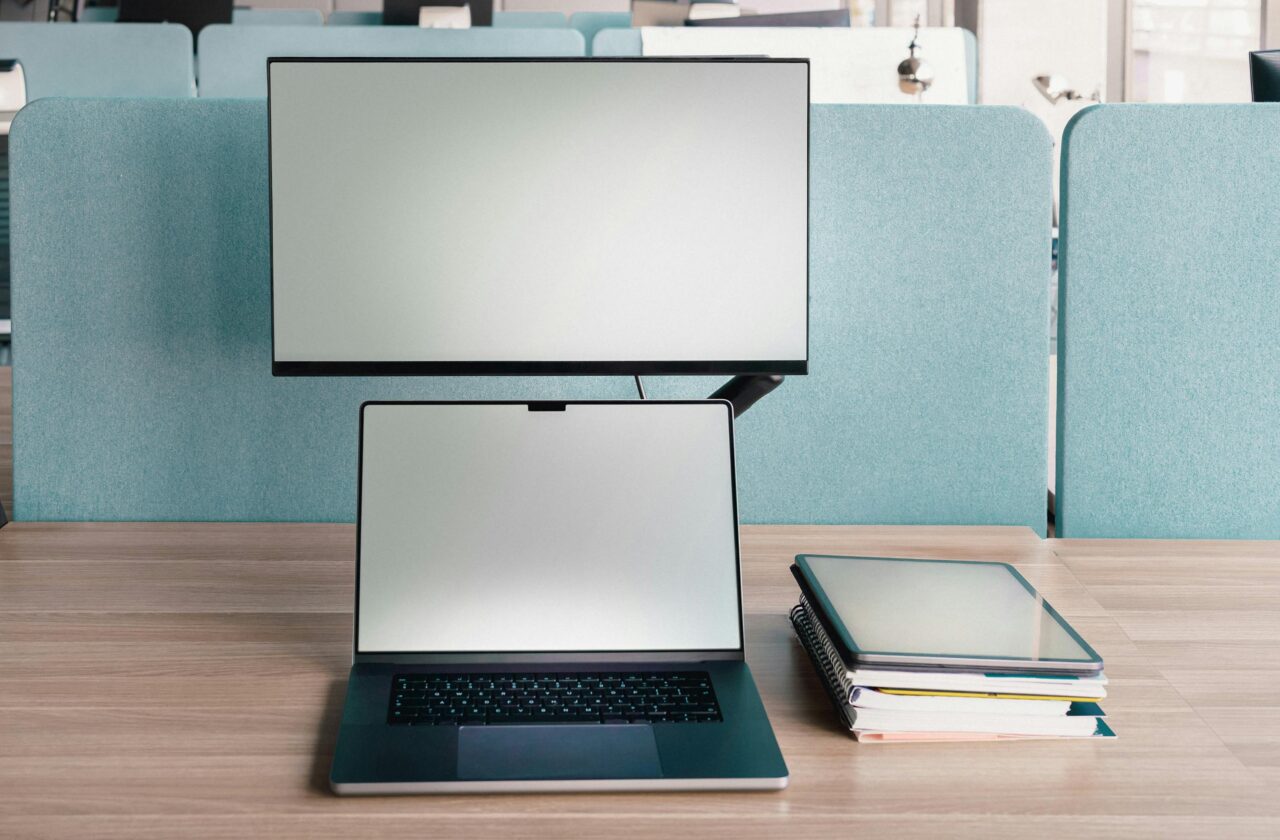
A portable monitor is the single biggest productivity jump in a remote work or travel kit. More than the noise-cancelling earbuds, more than the GaN charger, more than any keyboard upgrade. If you read our full remote work tech setup guide, this is the accessory I keep coming back to as the one that actually changes how you work, not just how your bag looks.
This list isn’t 21 monitors with one paragraph each. It’s seven I’d actually recommend, ranked by use case, with the trade-offs spelled out. Some are gear I’ve used personally. Others come from reviewer consensus across PCWorld, Tom’s Hardware, RTINGS, and the digital nomad community on Reddit, where I cross-checked complaints before putting anything on this list.
Quick Reference Table
| Monitor | Size / Resolution | Weight | Refresh | Price* | Best For |
|---|---|---|---|---|---|
| ASUS ZenScreen MB16AC | 15.6″ / 1080p IPS | 780 g | 60 Hz | ~$200 | Overall / travel |
| Arzopa Z1FC | 16.1″ / 1080p IPS | 780 g | 144 Hz | ~$130 | Budget / casual gaming |
| LG gram +View 16MR70 | 16″ / 2560×1600 IPS | ~670 g | 60 Hz | ~$400 | Productivity / color |
| espresso 15 Pro | 15.6″ / 4K IPS | 800 g | 60 Hz | ~$550 | Creators / color-critical |
| Arzopa Z3FC | 16.1″ / 2.5K IPS | 780 g | 180 Hz | ~$150–200 | Gaming / value flagship |
| ASUS ProArt PA148CTV | 14″ / 1080p IPS touch | 740 g | 60 Hz | ~$300–400 | Touchscreen / Adobe creators |
| SideTrak Swivel 14 | 14″ / 1080p IPS | ~600 g | 60 Hz | ~$300 | Attached dual-screen kit |
*Prices fluctuate. Always verify on the store page before buying.
What Actually Matters When Picking One
Spec sheets on portable monitors get out of hand. Here’s what matters in real-world use, and what doesn’t.
Specs that matter
USB-C with DisplayPort Alt Mode + Power Delivery. This is the single most important thing. If your monitor needs USB-C plus a separate power cable, you’ve doubled your travel cables for no good reason. Check that your laptop’s USB-C port supports DP Alt Mode before buying – most modern laptops do, but some budget machines don’t.
Weight under 1 kg. Above that, you’ll leave it at home. Below that, it disappears into a laptop sleeve. The sweet spot for travel is 700–800 g.
Brightness of at least 300 nits. Below that, you’ll struggle in any bright cafe and forget about working outdoors. Most budget monitors claim 250 nits, which in practice means you’ll squint near a window.
Built-in stand or rigid case. Origami magnetic covers that fold into a stand are the worst part of cheap portable monitors. They wobble on any uneven surface. Tom’s Hardware and the Lepow review on Notebookcheck both flag this as a real frustration with most foldable faux leather stands. Pay attention to this. It’s the single most common Reddit complaint.
Specs that don’t matter much
4K resolution on a 15-inch screen. 1080p or 1440p is plenty at this size. 4K drains battery, doubles the price, and makes text tiny enough to need scaling, which negates the resolution advantage. As PCWorld’s 2026 portable monitor roundup put it, stick with 1080p Full HD on a small screen because 4K often makes text too tiny and drains battery 40% faster.. Exception: color-critical creative work, where 4K plus a wide gamut is worth it.
HDR support. Almost every portable monitor advertises HDR. Almost none of them have the brightness or contrast to actually display HDR meaningfully. The PCWorld team called this out directly: current portable monitors lack the brightness required to make HDR look its best, and a monitor that claims HDR will display HDR content but won’t look superior to SDR. Ignore it as a buying factor.
Speakers. They’re all bad. Use your laptop’s, your earbuds, or anything else.
The 7 Best Portable Monitors for Laptop in 2026
1. ASUS ZenScreen MB16AC – Best Overall
Specs: 15.6″ Full HD IPS, 60 Hz, 220 nits, 8 mm thick, 780 g (without stand), USB-C with hybrid USB-A support, 1080p, officially the world’s lightest 15.6-inch companion display monitor at 0.78 kg with a super-slim 8mm profile per the ASUS product page.
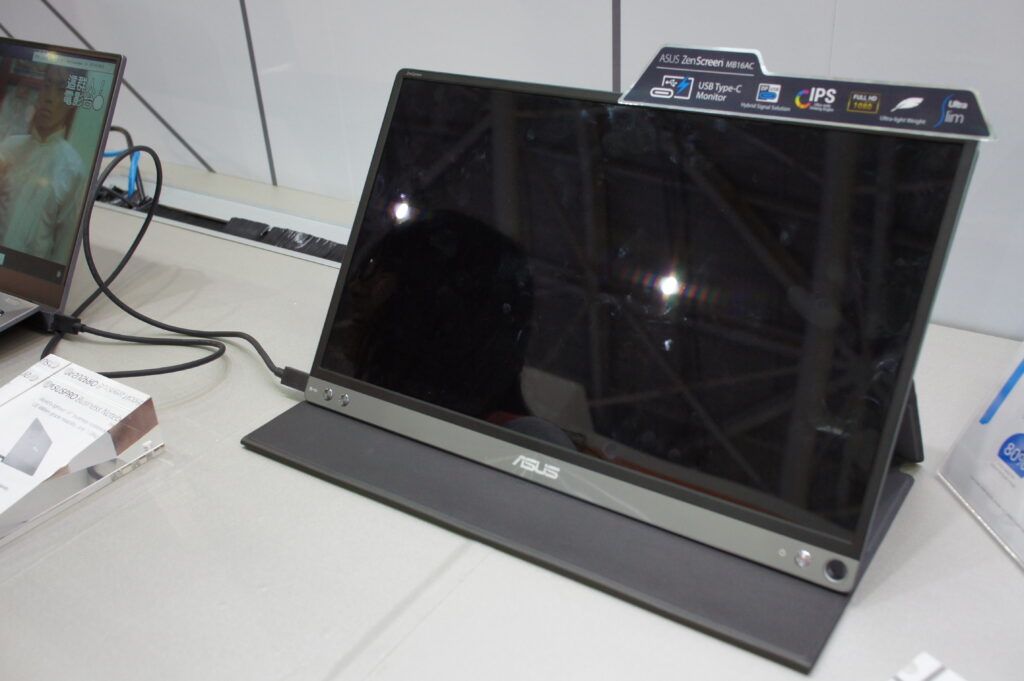
This is the one I’ve owned and travelled with for years. It lives in the back pocket of my laptop sleeve, slips into any backpack, and the hybrid USB-A support meant it worked even with the older PC I used to swap to before my current desktop build. I use it on hotel desks, in cafes, and at home when I want a quick second screen without firing up the main monitor on my desktop. It earns its bag space.
What I like: the single USB-C cable. The auto-rotation that switches between portrait and landscape when you turn it. The “smart cover” that doubles as a passable stand for either orientation. The fact that, years later, it still works exactly as it did out of the box.
Honest limitations: the 220-nit brightness is the weakest spec on this list. It’s fine indoors and in average cafe lighting. Near a sunlit window, it struggles. If you work outdoors or in very bright environments, get the ZenScreen MB16ACV or jump to one of the higher-brightness picks below.
I’ve had the MB16AC for about three years now. It’s been on every moto trip through the Balkans, in three different coworking spaces in Lisbon and Athens, and accidentally dropped onto a hotel desk from coffee-table height twice. Still works. The smart cover is scuffed but the screen has zero issues. That’s the durability test I needed before recommending it to anyone else.
Pros: Ultra-slim, ultra-light, single-cable USB-C, proven reliability, broad laptop compatibility Cons: 220-nit brightness is borderline outdoors, no touch, 60 Hz only Best for: Anyone who wants a no-drama portable monitor for daily remote work or travel
2. Arzopa Z1FC – Best Budget
Specs: 16.1″ Full HD IPS, 144 Hz, 300 nits, 9.3 mm thick, 780 g, dual USB-C + mini HDMI, ~$130 at street price.
The Z1FC is the monitor I’d recommend if you’ve never owned one and don’t want to drop $200+ on the experiment. PCWorld’s reviewer Matthew S. Smith found it delivers a bright, attractive image and decent motion clarity alongside an attractive exterior design, with image quality that can rival alternatives priced north of $300 when on sale. ServeTheHome’s testing put its color accuracy at 2.12 average Delta E, which is better than the more expensive Dell Pro 14 Plus they tested side by side.
The aluminum chassis is the bit that surprises people. At this price, you’d expect bendy plastic. Arzopa went with metal, and you can feel the difference the first time you hold it.
What’s not perfect: the bundled kickstand is a fold-out cover, and it wobbles on uneven surfaces. The community feedback on this is consistent – testers report the kickstand wobbled during fast typing, and brightness near a sunny window was too low. The matte screen handles glare well, but 300 nits is still not enough for direct sunlight.
Pros: Metal build, 144 Hz refresh, sharp 1080p IPS, USB-C + HDMI versatility, killer price Cons: Wobbly kickstand on uneven surfaces, no Adaptive Sync, brightness lacking outdoors Best for: First-time portable monitor buyers, casual gaming on the side, anyone who refuses to spend over $150
3. LG gram +View 16MR70 – Best for Productivity
Specs: 16″ IPS WQXGA (2560×1600), 16:10 aspect, 60 Hz, 350 nits, DCI-P3 99%, USB-C, folio cover/stand.
The 16:10 aspect ratio is the secret weapon here. Most portable monitors are 16:9, which is fine for video but wasted vertical space for documents, code, and spreadsheets. The 16:10 ratio gives you noticeably more usable vertical real estate, and the 2560×1600 resolution means text renders sharp without the scaling headaches of 4K. LG built it around a 16:10 screen designed for productivity, offering virtually 32:10 screen when paired with a 16-inch gram laptop, with WQXGA 2560×1600 display providing clear and crisp imagery and DCI-P3 99% color.
It works with any laptop that has DP Alt Mode over USB-C, not just LG grams. The “+view” branding is marketing – the monitor itself is universal.
Limitations: it’s pricier than the Asus and Arzopa picks. The folio cover stand is solid but only offers two angle positions, so ergonomics are limited compared to a proper kickstand.
Pros: Best resolution-to-size ratio for productivity, 350 nits brightness handles real-world lighting, DCI-P3 color is genuinely good Cons: Pricier ~$400, two-position stand, USB-C only (no HDMI fallback) Best for: Writers, developers, financial work, anyone who lives in spreadsheets and documents
4. espresso 15 Pro – Best Premium / Color-Critical
Specs: 15.6″ 4K IPS (3840×2160), 60 Hz, 550 nits, 100% Adobe RGB, 800 g, 9 mm thick, dual USB-C, glass finish, aluminum chassis.
If you do photo or video work and you actually care about color, this is the pick. The espresso 15 Pro delivers 4K resolution with 100% Adobe RGB and 550 nits brightness in an anodised aluminium frame with 6H hardness glass. TechRadar’s reviewer called it ideal for any creative or business user with exceptionally high build quality. The trade-off is the price – you’re north of $500 for this one.
The 4K resolution actually makes sense at 15 inches for color-critical work specifically. At 282 PPI, text and images render sharper than most desktop monitors, and the wide gamut means what you edit is what gets published. For non-creative work, this is overkill.
Heads-up: glossy glass finish. Beautiful indoors, terrible in direct sunlight or against a window. The magnetic Stand+ is the best stand on this list, but it’s a separate accessory on some packages.
Pros: Genuine creator-grade color (100% Adobe RGB), 550 nits high brightness, best-built portable monitor I’ve researched Cons: $550+ price tag, glossy screen reflects everything, no carry case included Best for: Photographers, video editors, designers who travel
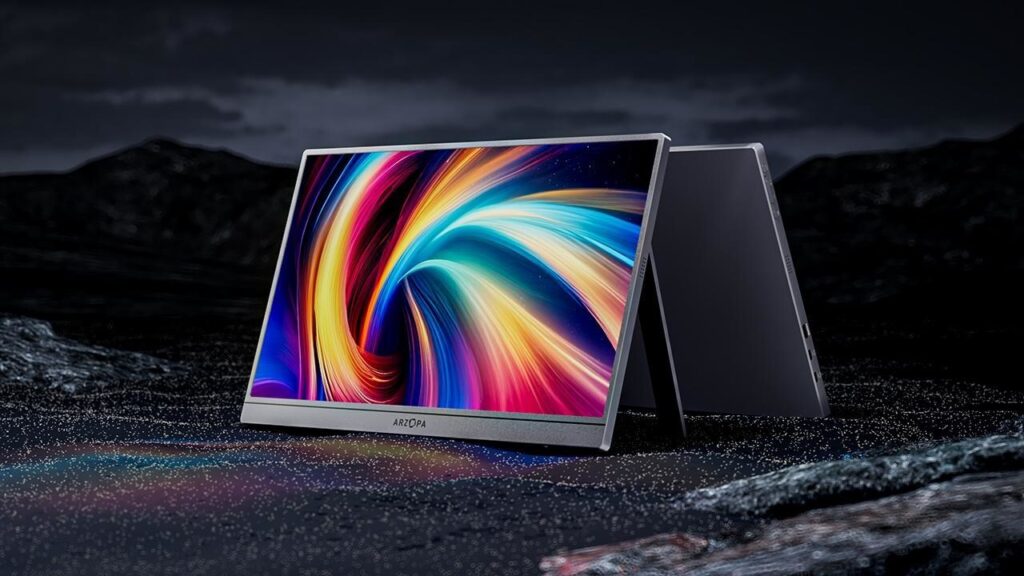
5. Arzopa Z3FC – Best for Gaming / High Refresh
Specs: 16.1″ 2.5K IPS (2560×1440), 180 Hz, 400 nits, 107% sRGB, HDR10, AMD FreeSync, 780 g, 9.3 mm aluminum, dual USB-C + mini HDMI, $144–199.
If you want a portable monitor that also handles a Steam Deck or PS5 trip well, this is the flagship value pick. The ARZOPA Z3FC is a 16.1-inch IPS portable monitor running 2560×1440 at 180Hz over USB-C DisplayPort, with 400 nits brightness, 107% sRGB color, HDR10, and AMD FreeSync in a 9.3 mm thin aluminum chassis weighing 780 g. Tom’s Hardware’s Z3FC review described it as having the potential for inclusion among the best of the best, with street pricing around $144.
I’d argue the 180 Hz is mostly overkill for productivity work, but it doesn’t hurt anything, and the 400-nit brightness plus 2.5K resolution mean it’s also a strong productivity pick if you can find it under $200. The aluminum unibody build feels properly premium.
What to watch for: HDR is advertised but, like most portable monitors, doesn’t have the contrast to make it meaningful. PCWorld’s reviewer was blunt about this – stick to SDR.
Pros: Best specs-to-price ratio on the list, 2.5K + 180 Hz + 400 nits is genuinely rare, AMD FreeSync, AAA build quality Cons: HDR is marketing, brightness still won’t beat direct sunlight, fan reports vary on color accuracy out of box Best for: Anyone who wants future-proof specs without the premium-monitor price tag
6. ASUS ProArt PA148CTV – Best Touchscreen
Specs: 14″ Full HD IPS, 60 Hz, 300 nits, 10-point multi-touch, 100% sRGB / 100% Rec. 709, Delta E < 2 Calman Verified, 740 g (without stand), two USB-C + micro HDMI, ASUS Dial.
The touchscreen and Calman-verified factory calibration are what make this one earn its place. ASUS ProArt PA148CTV is a 14-inch FHD 10-point touch portable monitor with 100% sRGB and 100% Rec. 709 color gamut, Calman Verified and factory pre-calibrated for Delta E less than 2 colour accuracy, including two USB-C ports and one Micro HDMI. The integrated ASUS Dial is genuinely useful for Adobe workflows – you can map it to brush size, layer scrolling, undo, whatever.
The touchscreen is the differentiator. If you sketch, mark up PDFs, or do anything that benefits from finger or stylus input, this is the only pick on the list that delivers. The 14-inch size also pairs symmetrically with 14-inch ultrabooks for a balanced setup.
Limitations: it’s pricier than other 14-inch options ($300–400 depending on sale), the touch only works on Windows (not macOS or iOS), and 300 nits is good but not class-leading.
Pros: Properly calibrated color out of box, touchscreen with stylus support, ASUS Dial for creators, included tripod socket Cons: Touch is Windows-only, glossy finish picks up fingerprints (obviously), $300+ price Best for: Adobe / Affinity creative pros, Windows users who sketch or annotate
7. SideTrak Swivel 14 – Best Attached Dual-Screen Kit
Specs: 14″ Full HD IPS, 60 Hz, magnetic attachment plate, 360° swivel + 270° rotation, USB-C / USB-A / mini HDMI, ~600–650 g.
This is the outlier on the list because it doesn’t sit next to your laptop – it attaches to the back of it with a hidden magnetic plate. When you need a second screen, you swivel it out. When you don’t, it folds flat against the laptop lid.
I haven’t owned one personally, so I’m leaning on reviewer and community consensus here. The patented 360° swivel hinge is the differentiator: it can sit beside the laptop, swing around for screen sharing on the other side, or rotate vertically for portrait reading. The trade-off is that it permanently changes the feel of your laptop – the magnetic plate stays attached even when the screen is detached, which adds weight and changes the lid profile.
I’d recommend this specifically for people who hate setting up a separate monitor at every cafe. Click, swivel, work. Fold, walk out.
Pros: Genuinely the fastest dual-screen setup in the category, fits 13″–16″ laptops, no separate stand needed Cons: Magnetic plate permanently changes your laptop lid, color accuracy is fine but not great, single-vendor ecosystem Best for: Frequent location-shifters who want zero setup friction
How These Picks Were Selected
I cross-referenced four sources before putting anything on this list:
- My own travel kit. The ASUS ZenScreen MB16AC is what I actually use. Everything else got the test of “would I recommend this to a friend who asked me for a second screen for their cafe-and-couch workflow?”
- Reviewer consensus across PCWorld, Tom’s Hardware, RTINGS, TechRadar, and ServeTheHome. No single reviewer’s opinion got included as gospel. If three sources agreed a monitor was good, it stayed in the running. If two sources disagreed, I read the disagreement before judging.
- Community feedback from Reddit r/digitalnomad and r/laptops. This caught the small stuff: kickstand wobble (mentioned in nearly every Z1FC review thread), Thunderbolt 5 MacBook compatibility issues (a real problem with some monitors that work fine on TB4), and the fact that nobody actually uses the built-in speakers.
- Current pricing checks on Amazon and manufacturer sites. Prices on portable monitors swing wildly – same model, same week, $50 difference between Amazon and the brand store. Always check both before clicking buy.
A few picks I considered and dropped: the Innocn 15A1F OLED almost made the list as a best-OLED pick. It’s a great panel and around $300 with deals. But OLED on a portable monitor introduces burn-in risk for desktop-like static work (taskbar, code editor sidebars), and most readers asking “best portable monitor for laptop” are using it for exactly that kind of static productivity layout. Skipped on principle.
When You Don’t Need a Portable Monitor
Honesty time. A portable monitor is the biggest productivity jump in a remote work kit, but only if your work actually benefits from a second screen. Three scenarios where I’d say skip it:
You’re on short trips (under 4 days). The bag space and setup time outweighs the benefit when you’re moving cities every few days. For short trips, just live with the one screen.
Your work is single-tab focused. Writers who draft in one full-screen window, designers who work in one canvas, people who use one IDE in full-screen – you don’t need a second screen, you need fewer distractions. Adding a monitor just adds places for those distractions to live.
You’re a tablet sidecar user. If you already carry an iPad or Android tablet and use Sidecar (macOS), Duet, or AnyDesk to mirror it as a second screen, that’s a free second display you’re already carrying. Don’t double up.
Last March I took the monitor on a 4-day client trip to Berlin. It stayed in the bag the whole time. The work was three back-to-back meetings per day and 90 minutes of single-document editing in the hotel each night. Adding the monitor just meant carrying 780g of dead weight through two flights. I’d skip it again for that kind of trip.
The “biggest productivity jump” claim is real, but it’s not universal. Be honest with yourself about your workflow before spending $200+.
FAQ
Are portable monitors worth it for working from a laptop? For sustained remote work or travel longer than a week, yes – significantly. The dual-screen productivity benefit is real and well-documented, and a good portable monitor adds about 800 g to your bag. For short trips or single-task workflows, probably not.
What’s the lightest portable monitor for travel? The LG gram +View 16MR70 at around 670 g, the ASUS ProArt PA148CTV at 740 g (without stand), and the ASUS ZenScreen MB16AC and Arzopa Z1FC tied at 780 g are all under the 1 kg threshold. Below 700 g is the “barely notice it in your bag” zone.
Can a portable monitor be powered by a laptop? Yes, if your laptop’s USB-C port supports DisplayPort Alt Mode and the monitor accepts USB-C power input. Most modern ultrabooks (MacBooks since 2016, most Windows laptops with USB-C since 2020) work. Older laptops or USB-C ports that are charging-only (no DP Alt Mode) won’t – you’ll need the included adapter and a separate power source.
What size portable monitor should I get? 15.6 inches is the sweet spot for most laptops. 14 inches pairs symmetrically with 14-inch ultrabooks if matching size matters to you. 16-inch models offer more screen real estate without much weight penalty. Skip 17-inch and above unless you have a specific gaming or workstation reason – they don’t fit cleanly in most laptop sleeves.
Do portable monitors work with MacBooks? Most USB-C portable monitors work with M1 and later MacBooks via a single cable. There are isolated issues with Thunderbolt 5 Macs and certain monitors where the single-cable setup doesn’t work as expected, requiring HDMI plus separate USB-C power. If you’re on a Thunderbolt 5 Mac, check the monitor’s MacBook compatibility specifically before buying. The ASUS ZenScreen MB16AC and LG gram +View have the cleanest Mac compatibility track records.
How much should I spend on a portable monitor? $130–200 buys a genuinely good budget pick (Arzopa Z1FC, ViewSonic VG1655). $200–400 buys a great daily-driver portable monitor for productivity (ASUS ZenScreen, LG gram +View). $400+ gets you into premium creator-grade territory (espresso 15 Pro, ASUS ProArt PA148CTV). Below $100, you’re rolling the dice – kickstand wobble, dim displays, and unreliable USB-C handshaking are common.
What I’d Pick
If someone forced me to pick one for a friend who just asked: ASUS ZenScreen MB16AC if they want the proven reliable option, Arzopa Z1FC if they want the best value, LG gram +View if they actually care about productivity-grade resolution.
For more on what to pair it with, our minimalist carry-on tech kit breakdown covers the ultralight version of the full setup – laptop, charger, headphones, and what to leave at home. And if you’re putting together the full remote-work stack, the broader digital nomad gadget roundup covers everything from power banks to travel routers.
A portable monitor is one of the few accessories that pays for itself in time saved within the first month of regular use. Pick one that matches your actual workflow, not the flashiest spec sheet.