Best Travel Router in 2026: 5 Picks From a PC Builder Who Actually Cares About Hardware

Hotel WiFi is a lie. You show up, the signal is fine in the lobby, and by the time you’re in your room trying to do a video call, it’s throttling you down to something from 2009. I’ve had this happen enough times on trips for my moto vlog that I stopped relying on it years ago.
A travel router fixes this. One small device converts that sketchy public connection into your own private network, lets you connect all your devices at once, and if it has VPN support, encrypts everything. There’s also a completely separate reason to care right now: the FCC’s March 2026 foreign router ban means the entire networking market is in a weird transitional period. The ban applies to all foreign-made consumer routers (not just one brand), and that changes how you should think about a purchase right now.
I’m not going to pretend I’ve lived out of a suitcase for two years building a brand around airport Wi-Fi tips. I’m a PC builder who travels for content creation. My standards for hardware are high, I don’t tolerate reliability issues, and I’m not loyal to any brand. That’s the lens here.
Quick picks before we go deep:
| Category | Pick | Price |
|---|---|---|
| Best overall | GL.iNet Beryl AX (GL-MT3000) | ~$85 |
| Best Wi-Fi 7 | ASUS RT-BE58 Go | ~$120 |
| Best flagship | GL.iNet Slate 7 (GL-BE3600) | ~$150 |
| Best budget | GL.iNet Mango (GL-MT300N-V2) | ~$25 |
| Best for hotel WiFi specifically | TP-Link Roam 6 (TL-WR1512X) | ~$50 |
What I Actually Look For in a Travel Router
Before getting into picks, here’s my evaluation criteria. These aren’t borrowed from a checklist. They’re what matters when you’ve dealt with enough bad hotel connections and packed bags.
USB-C power. Non-negotiable for me. If a router requires a proprietary 12V barrel connector, it can’t run off a power bank, which defeats half the point of portability. Every router on this list uses USB-C.
Captive portal handling. Hotel and cafe networks usually make you click through a login page. Some routers handle this automatically. Others require you to connect a device directly first, authenticate, then switch over. The difference matters when you’re tired and just want things to work.
VPN client built-in. Running VPN at the router level covers every connected device at once. WireGuard is what you want. WireGuard speeds on travel routers range from around 150 Mbps on budget units to 540 Mbps on the Slate 7. OpenVPN works too but it’s slower.
Size and weight. Under 200g for actual pocketability. The GL.iNet Mango is 40g. The Slate 7 is around 200g. The ASUS units are 242g. None of these are heavy, but there’s a meaningful difference between “pocketable” and “fits in a bag pouch.”
Multiple connection modes. Router mode (connecting to hotel WiFi and rebroadcasting), range extender mode, and tethering mode (using your phone’s hotspot as a WAN source). The best units support all three.
The 5 Best Portable WiFi Routers for Travel
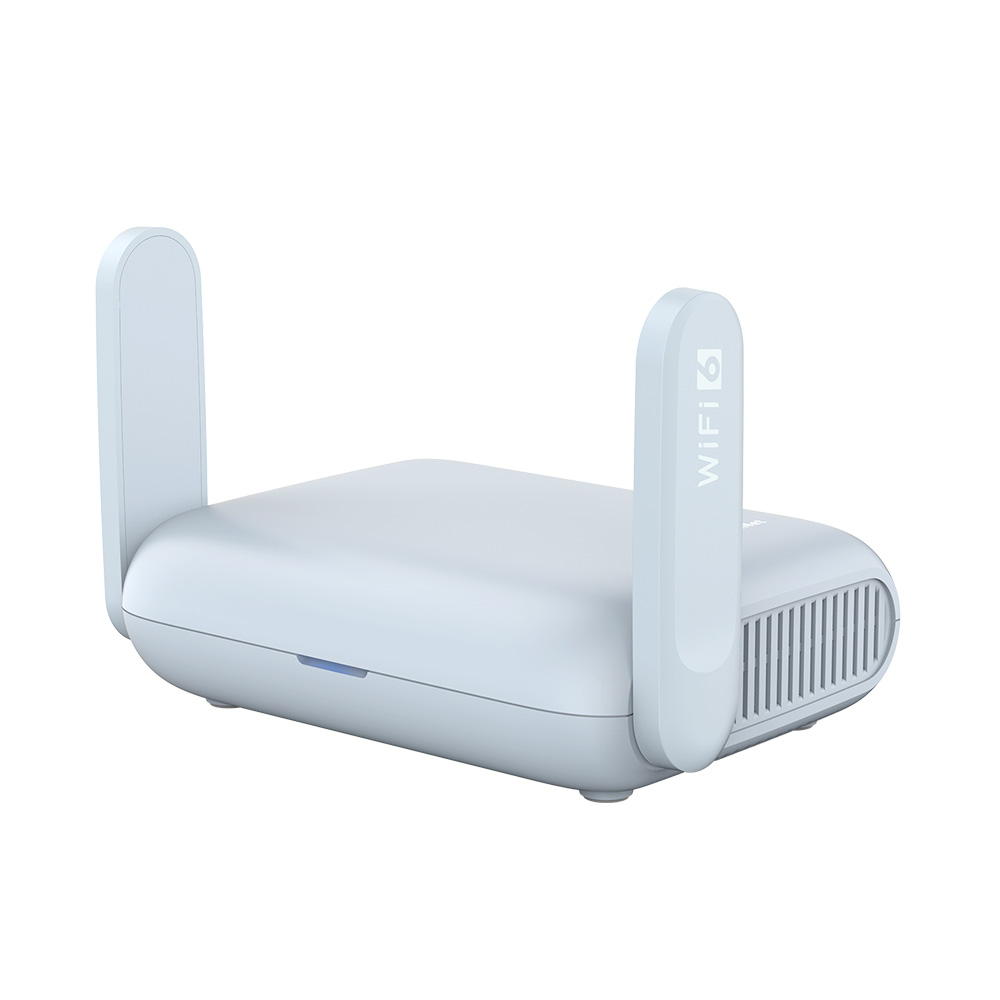
1. GL.iNet Beryl AX (GL-MT3000): Best Overall
Specs: Wi-Fi 6, AX3000, 2.5G WAN port, 1G LAN port, USB 3.0, USB-C power, WireGuard up to 300 Mbps, OpenVPN up to 150 Mbps, 120 x 83 x 34mm, under 200g
Price: ~$99 (GL.iNet store and Amazon, varies)
The Beryl AX is the pick most people should buy, full stop. GL.iNet has been building travel routers longer than most of the competition, and the MT3000 is where their years of firmware development really show. The OpenWrt-based interface is genuinely configurable if you care about that, and simple enough if you don’t.
Wi-Fi 6 handles the real-world use case well. Hotel WiFi rarely exceeds 50-100 Mbps even when the signal is good, so the theoretical 2402 Mbps on the 5GHz band isn’t what’s selling this. What sells it is that the Beryl AX processes multiple simultaneous connections without slowing down, handles captive portal logins cleanly, and the WireGuard VPN actually runs at usable speeds.
The 2.5G WAN port is a nice touch for wired connections in hotel rooms where you can plug in directly. USB 3.0 lets you tether a phone for backup cellular connectivity. USB-C for power means it’ll run off most modern power banks.
Pros: Excellent VPN speeds for the price, OpenWrt for power users, strong community support, proven reliability over several hardware generations
Cons: Wi-Fi 6, not 7 (matters if future-proofing is important to you), single LAN port limits wired multi-device setups
Best for: Most travelers who want solid performance without paying premium Wi-Fi 7 prices
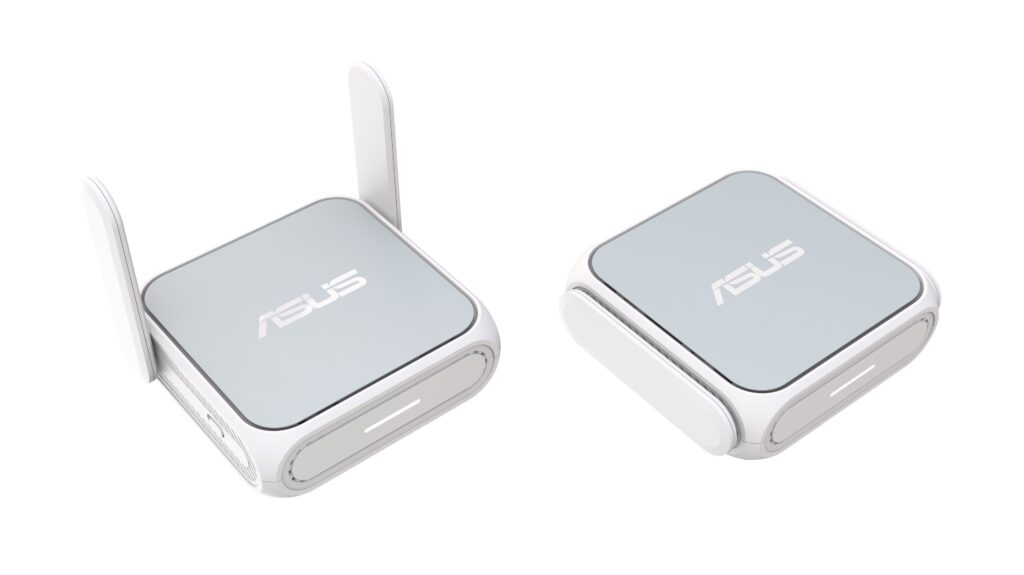
2. ASUS RT-BE58 Go: Best Wi-Fi 7 at a Sane Price
Specs: Wi-Fi 7, BE3600, 2.5G WAN port, 1G LAN port, USB-C power, AiMesh compatible, ASUSWRT interface, 99 x 111 x 36mm, 242g
Price: ~$120 (street price varies; has sold for $100 at Amazon/Best Buy)
ASUS entered the travel router market in earnest with the RT-BE58 Go, and it’s a genuinely solid first effort. Wi-Fi 7 with Multi-Link Operation (MLO) lets the router use both the 2.4GHz and 5GHz bands simultaneously, which means more capacity in congested environments like hotel lobbies or conference venues.
The ASUSWRT interface is familiar territory if you’ve ever owned an ASUS home router, and the full-featured web UI translates surprisingly well to a portable device. AiMesh compatibility means you can also use it as a travel extension of your home mesh network, which is actually a useful feature for people with ASUS home setups.
One thing worth noting about the regulatory context: the FCC’s March 2026 ban applies to all foreign-made consumer routers, including ASUS, GL.iNet, TP-Link, Netgear, and most other brands manufacturing outside the US. ASUS stated publicly that the FCC action will not impact its existing lineup of routers, and existing inventory continues to ship through normal retail channels. Firmware updates are also permitted for already-authorized devices at least through March 2027. So in practice, the regulatory situation affects future model availability more than current purchase decisions for established models like the RT-BE58 Go.
No battery option. No cellular modem slot. VPN client is present but less configurable than GL.iNet’s OpenWrt implementation. These are trade-offs for the cleaner interface and brand name familiarity.
Pros: Wi-Fi 7 future-proofing, familiar ASUS interface, AiMesh compatibility, ASUS public statement that FCC action will not impact existing lineup, solid reviewer hardware testing results
Cons: No battery, no SIM slot, VPN less flexible than GL.iNet’s OpenWrt, slightly pricier than Beryl AX for similar real-world speeds on hotel connections
Best for: ASUS home network users, travelers who want Wi-Fi 7 without learning OpenWrt, buyers concerned about brand longevity
3. GL.iNet Slate 7 (GL-BE3600): The Flagship Pick
Specs: Wi-Fi 7, BE3600, dual 2.5G Ethernet ports (WAN + LAN), USB 3.0, USB-C power, touchscreen display, WireGuard up to 540 Mbps, OpenVPN up to 100 Mbps, OpenWrt 23.05, 1GB storage
Price: $149.90 MSRP at the GL.iNet official store (street price often $120 on Amazon during pre-order and early sales periods)
The Slate 7 is the only travel router with two 2.5Gbps ports, which means you get a 2.5G WAN and a 2.5G LAN simultaneously. For most hotel connections, that’s overkill. But if you’re in a location with actual gigabit Ethernet available and need fast wired throughput, it matters.
The touchscreen is legitimately useful. QR code sharing for guest connections, real-time speed monitoring, VPN toggle with a single tap. It’s not a gimmick. WireGuard speeds up to 540 Mbps are the fastest of any travel router I’ve seen benchmarked, and the OpenWrt 23.05 base with 1GB of storage means you can install add-ons, run AdGuard, and customize the network to a degree that home routers often don’t allow.
This is the router for people who want their travel setup to be as capable as their home setup, just smaller. It’s also GL.iNet’s current flagship, which means firmware support will stay active longest.
At $149.90 MSRP, it’s not cheap. And if your use case is just sharing hotel WiFi across a laptop and phone, the Beryl AX does that for $65 less. But for a full-time remote worker who needs serious VPN throughput, multi-device management, and maximum flexibility, the Slate 7 earns its price.
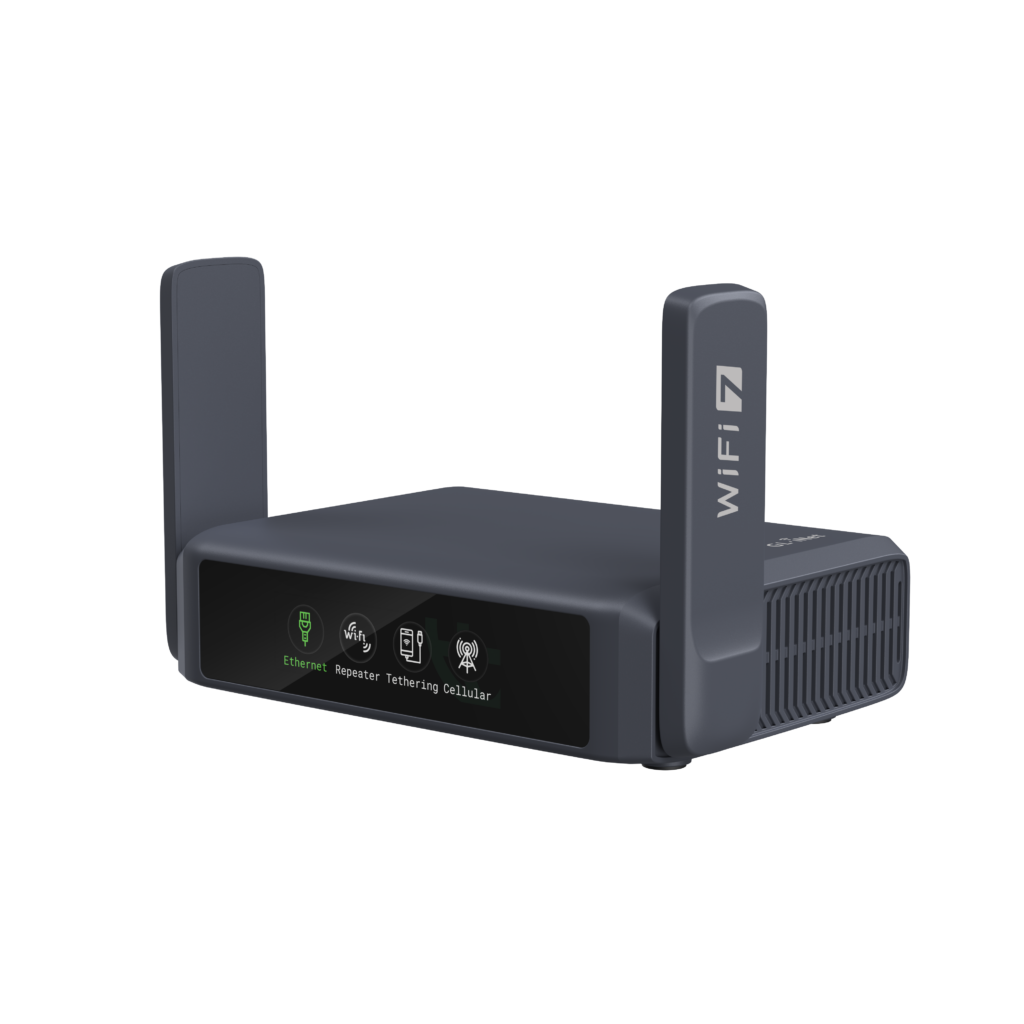
Pros: Only dual-2.5G travel router available, 540 Mbps WireGuard, touchscreen convenience, 1GB storage for plugins, Wi-Fi 7
Cons: Most expensive option, no battery, no SIM slot, OpenWrt has a learning curve for non-technical users
Best for: Power users, serious VPN users, people who travel frequently for work and need maximum router capability in pocket format
4. GL.iNet Mango (GL-MT300N-V2): Best Budget Pick
Specs: Wi-Fi 4 (N300), 100 Mbps ports, USB-A power (5V), OpenWrt, 58 x 58 x 25mm, 40g
Price: ~$25
Look, the Mango is 40 grams. It fits in a jacket pocket. It’s $25. And it does the one job that matters on most hotel connections: it takes a single-device login, rebroadcasts to all your devices, and keeps a stable connection running.
Yes, it’s Wi-Fi 4. Yes, 100 Mbps ports are a ceiling. But hotel WiFi that actually delivers 100 Mbps is already fast by most real-world standards. If you’re connecting a laptop and a phone and you don’t need VPN speed beyond the basics, the Mango handles it.
The OpenWrt base means VPN client support is present. WireGuard speeds are limited compared to the Beryl AX, but for basic encrypted browsing it works.
This is the “throw it in any bag without thinking about it” pick. Nothing competes with it at this price and size.
Pros: Almost weightless, stupidly cheap, OpenWrt, USB-A power works with basically any charger
Cons: Wi-Fi 4 limits, 100 Mbps port ceiling, no 5GHz band, will struggle with 4K streaming or multiple simultaneous heavy users
Best for: Occasional travelers, backpackers, anyone who wants a backup router that costs less than dinner
5. TP-Link Roam 6 (TL-WR1512X): Best Captive Portal Handling
Specs: Wi-Fi 6, AX1500, USB-C power, multi-mode (router/range extender/access point), captive portal auto-handling
Price: ~$50
A note on the FCC situation: the March 2026 ban applies to all foreign-made consumer routers (including ASUS, Netgear, GL.iNet, and TP-Link), and the FCC has confirmed that existing inventory is unaffected and firmware updates continue through at least March 1, 2027. TP-Link manufactures in Vietnam and has been more directly named in pre-2026 US security debates than other brands, but the current Roam 6 stock you’ll find at retail is the same hardware that was already certified before the ban took effect. It works the same way it did six months ago.
With that context: the Roam 6 handles hotel WiFi captive portals better than anything else in this price range. TP-Link’s implementation for logging through to managed hotel networks is consistently strong in reviewer testing. If your primary use case is connecting through hotel WiFi systems that have separate authentication screens, and you want a budget Wi-Fi 6 option, this remains a strong pick on existing stock.
If you want a router without the regulatory attention that’s been on TP-Link specifically over the last few years, the Beryl AX at $35 more is the cleaner long-term bet. But the Roam 6 works, it’s widely available on existing inventory, and the hardware itself isn’t going anywhere.
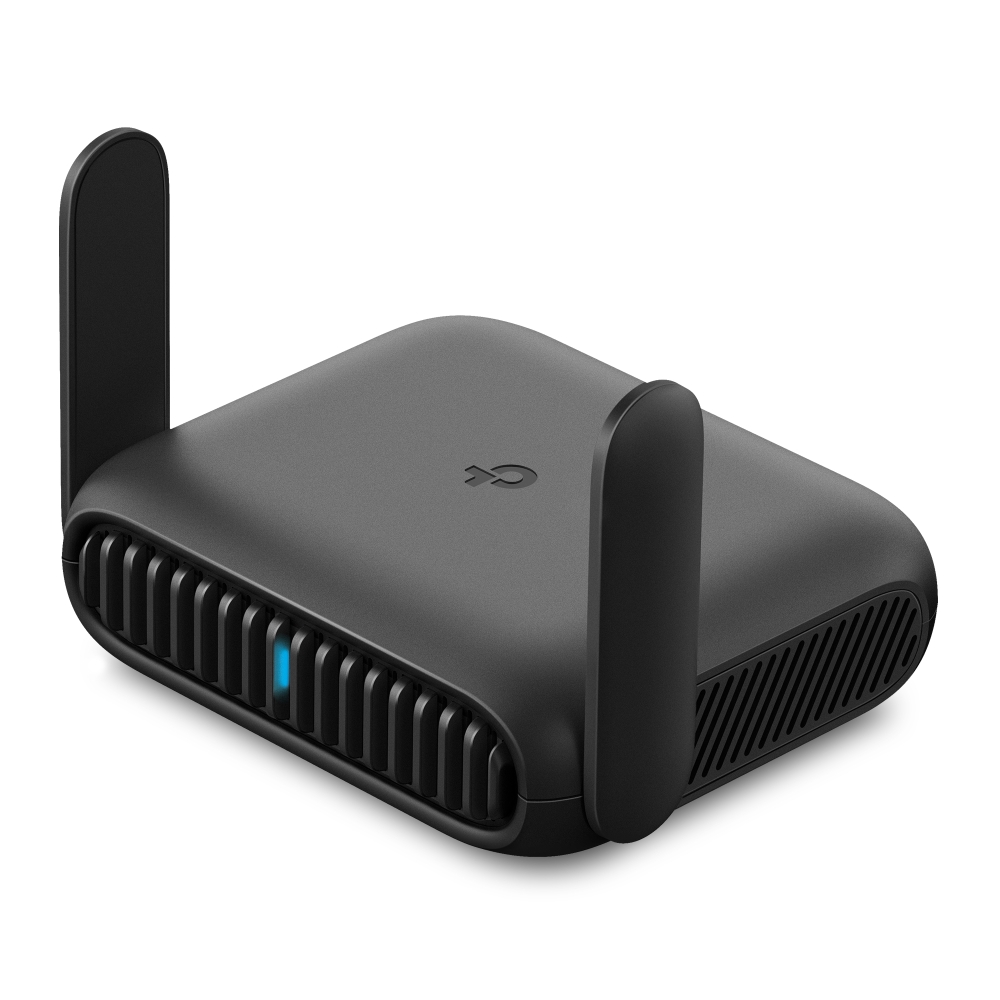
Pros: Best-in-class captive portal handling at budget price, Wi-Fi 6, USB-C power, easy setup
Cons: TP-Link has been the most-scrutinized brand in the US router regulatory debate (though the March 2026 ban now applies broadly to all foreign-made routers), no VPN flexibility compared to GL.iNet, single-brand ecosystem risk
Best for: Budget buyers, travelers whose primary problem is hotel captive portal logins
Full Comparison Table
| Router | Wi-Fi | WAN Speed | VPN (WireGuard) | Battery | Size | Price |
|---|---|---|---|---|---|---|
| GL.iNet Beryl AX | 6 (AX3000) | 2.5G | 300 Mbps | No | 120x83x34mm | ~$85 |
| ASUS RT-BE58 Go | 7 (BE3600) | 2.5G | Moderate | No | 99x111x36mm | ~$120 |
| GL.iNet Slate 7 | 7 (BE3600) | 2×2.5G | 540 Mbps | No | Pocket-sized | ~$150 |
| GL.iNet Mango | 4 (N300) | 100 Mbps | Basic | No | 58x58x25mm | ~$25 |
| TP-Link Roam 6 | 6 (AX1500) | 1G | Moderate | No | Compact | ~$50 |
Common Mistakes When Buying a Travel Router
Buying a router that needs 12V power. Some older TP-Link models (the TL-WR1502X specifically) require 12V from a barrel connector, which means no running it off a standard USB power bank. Always check the power requirements before buying. USB-C 5V models are the only genuinely portable ones.
Buying for theoretical speeds instead of real-world needs. Hotel WiFi rarely exceeds 100 Mbps. The difference between AX3000 and AX1500 matters less than whether the router handles captive portals cleanly and maintains a stable connection under shared hotel bandwidth conditions.
Ignoring VPN speed specs if you use a VPN. If you connect to a corporate VPN or run WireGuard for personal security, VPN throughput is the actual bottleneck. A router rated for WireGuard at 50 Mbps is going to hurt if you’re downloading large files or on video calls.
Assuming Wi-Fi 7 is worth the premium for hotel use. Wi-Fi 7’s main advantage (MLO, Multi-Link Operation) shines in congested environments where you’re competing for spectrum. In most hotel rooms you’re the only one on your router’s network. Wi-Fi 6 is plenty. Wi-Fi 7 makes more sense if you’re using the router at home too, or in genuinely high-density venues.
Overlooking the FCC router situation. This isn’t tinfoil hat stuff. The FCC’s March 23, 2026 order bans new foreign-made consumer routers from FCC certification in the US. That covers nearly every major consumer brand: ASUS, Netgear, GL.iNet, TP-Link, Eero, Linksys, Ubiquiti, and others. Your current router is fine. Existing inventory at retail is fine. No recall, no forced removal, and firmware updates are explicitly allowed through at least March 1, 2027. What changes is the certification pipeline for new models seeking US authorization going forward. The practical impact: if you’re buying a router today, you can buy almost anything currently in stock. If you’re waiting six months for a brand-new model release, future availability is the question mark.
Should You Get One With a Battery?
None of the five picks above have a built-in battery. That’s intentional. Battery travel routers like the Netgear Nighthawk M7 exist, but they start around $200 and add significant bulk and weight.
For most use cases, powering from a phone charger or USB-C power bank you’d already carry is the better approach. Battery-powered options like the NETGEAR Nighthawk M7 offer complete independence from power outlets for 8-10 hours, which is genuinely useful on long flights or in locations without reliable power access. But that’s a niche requirement, not a standard one.
If you genuinely need hours of standalone battery operation, the Nighthawk M series are the category leaders. For everyone else, a USB-C power bank is more flexible and replaces fewer other items in your bag.
Frequently Asked Questions
Do I actually need a travel router, or is a VPN on my phone enough? A VPN on a single device protects that device. A travel router with VPN covers every device you connect to it, including phones, tablets, laptops, and smart TVs, without any app needed on each device. It also solves the separate problem of sharing one hotel network login across multiple devices. If you travel with two or more devices, a travel router is worth it.
What’s the difference between router mode and range extender mode? Router mode connects to an existing WiFi network and creates a separate private network for your devices. Range extender mode just repeats the existing signal to extend coverage. For privacy and device management, router mode is almost always what you want. Range extender mode keeps you on the same network as everyone else in the building.
Is GL.iNet good for non-technical users? Their admin interface has gotten significantly more user-friendly in recent versions. The GL-MT3000 Beryl AX walks you through initial setup in about five minutes. OpenWrt customization is there if you want it, but it’s not required. The Mango at the budget end is slightly more barebones. If you want zero configuration complexity, the ASUS RT-BE58 Go’s ASUSWRT interface is probably easier for people who’ve used ASUS home routers.
Can I use a travel router to watch region-restricted streaming? Yes, if you’re running a VPN that routes your traffic through a server in the appropriate region. The router-level VPN client handles this for every connected device at once. Connection speeds on the VPN determine streaming quality, which is why WireGuard throughput specs matter.
What about the TP-Link ban? Should I avoid buying one? Your current TP-Link router is fine. The March 2026 FCC order bans new foreign-made router certifications going forward (this affects nearly every brand manufacturing abroad, including ASUS, Netgear, GL.iNet, and others), but existing inventory is unaffected and firmware updates continue through at least March 1, 2027. If you already own a TP-Link travel router, keep using it. For new purchases, TP-Link has received the most specific US government scrutiny of any single brand in the recent debate, if you’d prefer to avoid that situation entirely, GL.iNet models cover similar feature sets without the same brand-specific attention.
For a full breakdown of how a travel router fits into a complete portable work setup, our remote work tech setup guide covers what else belongs in the bag.
Building a more focused portable gear kit? The portable tech setup piece we put together covers the cases where size and weight constraints are the whole game.
Prices verified June 2026. Router market is actively changing due to FCC import restrictions. Re-verify before purchase.